


Viking Rise
Play on PC with BlueStacks – the Android Gaming Platform, trusted by 500M+ gamers.

Page Modified on: May 22, 2026
Play Viking Rise on PC or Mac
Viking Rise is a Strategy game developed by IGG.COM. BlueStacks app player is the best platform to play this Android game on your PC or Mac for an immersive gaming experience.
Step into a world of action with legendary Vikings, including Ragnar Lothbrok, Bjorn Ironside, Ivar the Boneless, etc. In this game, you are tasked with leading your warriors to victory against numerous enemies. Will you fight for wealth and glory, and go down as one of Midgard’s legends?
About the Game
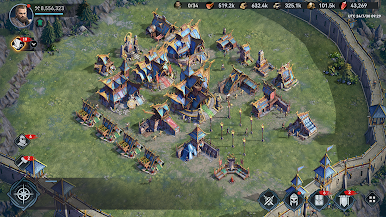
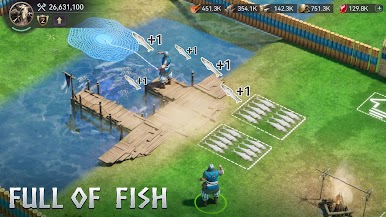
Viking Rise delivers real-time battles to challenge your skills and realistic scenes that recreate the iconic era of Vikings. With multiple heroes and side characters at your fingertips, you can build a formidable army and challenge other players worldwide.
Gameplay Overview
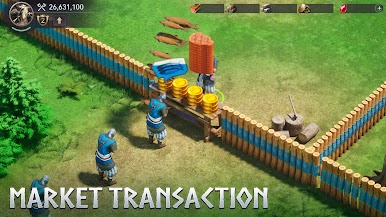
The road to leaving a remarkable legacy requires you to forge strategic alliances with other characters and implement effective tactics on the battlefield. Equip your warriors with unique weapons to win battles, claim new territories, seize lands, and earn money.
Game Features
- Realistic landscapes
- Customizable territories
- Real-time naval combat
How to Play?
Download Viking Rise for free from the Google Play Store or Apple App Store on the BlueStacks app player.
What’s New?
The latest update introduces exciting new events for players to explore. The Morreg’s Perilous City event is on the horizon, inviting brave warriors to embark on a journey to the resurfaced lost royal city of Morreg, where treasures await those who seek glory and victory. Additionally, the Fun Time event series offers a delightful escape with a holiday-themed experience, providing a chance to unwind and enjoy a peaceful moment of leisure.





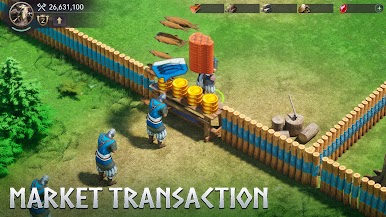
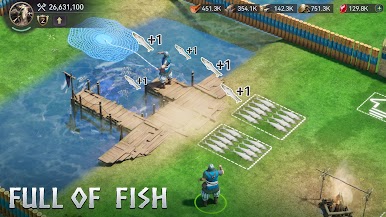





Play Viking Rise on PC. It’s easy to get started.
-
Download and install BlueStacks on your PC
-
Complete Google sign-in to access the Play Store, or do it later
-
Look for Viking Rise in the search bar at the top right corner
-
Click to install Viking Rise from the search results
-
Complete Google sign-in (if you skipped step 2) to install Viking Rise
-
Click the Viking Rise icon on the home screen to start playing

