


Iptv blink player
Play on PC with BlueStacks – the Android Gaming Platform, trusted by 500M+ gamers.

Page Modified on: Aug 9, 2026
Main Iptv blink player on PC
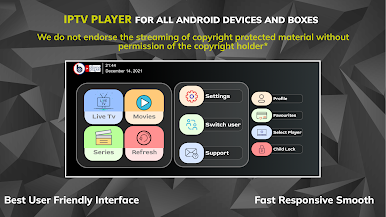
Whether you are an everyday viewer looking for a seamless way to watch your playlists, or an IPTV service provider looking for a fully customizable, brandable white-label solution, IPTV Blink Player is the perfect software solution.
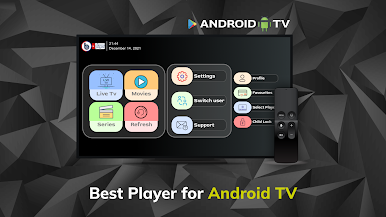
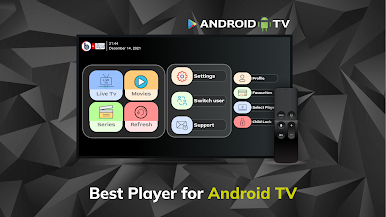
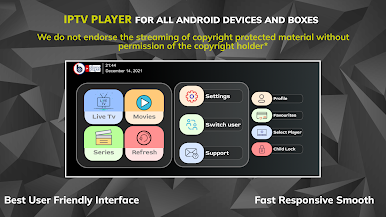
With an elegant and highly intuitive interface, navigating through your favorite IPTV channels, movies, and TV shows has never been easier.
### Why Choose IPTV Blink Player?
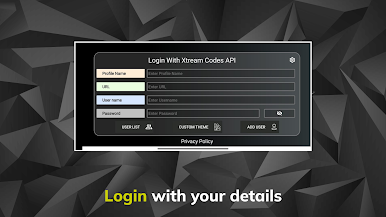
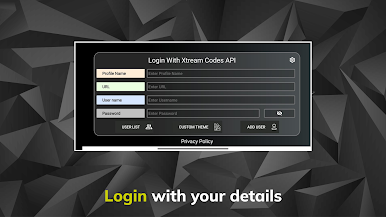
* Dual Login Options: Easily connect via Xtream Codes API or use a standard M3U Playlist URL.
* Multi-User Support: Create and manage multiple profiles so everyone in the household gets their own personalized experience.
* Parental Controls: Keep viewing safe for kids with robust, pin-protected parental control settings.
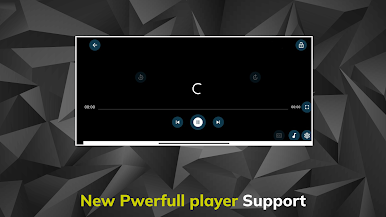
* Powerful Built-In Player: Enjoy flawless playback with an advanced internal player that supports all standard video formats and codecs.
* External Player Integration: Prefer to use VLC or MX Player? Seamlessly connect your favorite external media players.
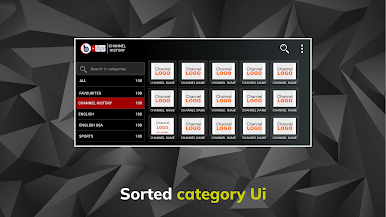
* Smart Content Organization: Browse series with seasons and episodes, and view detailed movie and series info, including ratings, descriptions, and posters.
* Favorites & Search: Quickly find what you want to watch and save your top channels to a personalized Favorites list.
* Subtitles & Language Support: Fully supports embedded subtitles and dynamic language switching.
* WebTV Player Support: Stream directly on the web with our integrated WebTV companion.
---
### 💼 For IPTV Service Providers: Custom Rebranding Available!
Want to offer your customers a premium viewing experience under your own brand name? We offer fully customized, white-label versions of IPTV Blink Player.
* Get your own logo, branding, and customized layout.
* More Info:
* Web TV Player:
---
⚠️ IMPORTANT ANNOTATION:
* IPTV Blink Player does not provide, host, or sell any IPTV services, subscriptions, or streams.
* Users must contact their own TV service provider to obtain login credentials (Username, Password, Server URL, or M3U playlist).
* This app functions strictly as a fast media player that provides the platform to play your own legally sourced content.
Disclaimer:
* IPTV Blink Player does not supply or include any media or content.
* Users must provide their own content.
* IPTV Blink Player has no affiliation with any third-party provider whatsoever.
* We do not endorse the streaming of copyright-protected material without permission of the copyright holder.
Play Iptv blink player on PC. It’s easy to get started.
-
Download and install BlueStacks on your PC
-
Complete Google sign-in to access the Play Store, or do it later
-
Look for Iptv blink player in the search bar at the top right corner
-
Click to install Iptv blink player from the search results
-
Complete Google sign-in (if you skipped step 2) to install Iptv blink player
-
Click the Iptv blink player icon on the home screen to start playing

