


IPTV Stream Player
Play on PC with BlueStacks – the Android Gaming Platform, trusted by 500M+ gamers.

Page Modified on: Oct 2, 2022
Overview
Feature Overview
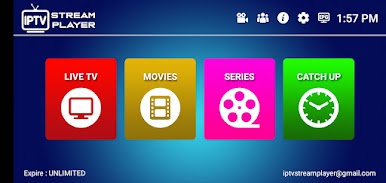
- Live, Movies, Series supported
- Support Xtream Codes API, M3U URL
- Built-in Powerful Native Player Added
- Master Search
- Episode Resuming Bar
- Support: EPG (TV Program Guide)
- Chrome Cast
- Auto Next Episode Play Supported
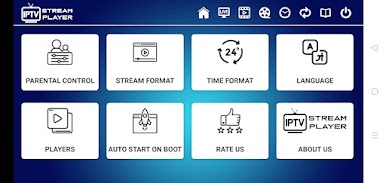
- Parental Controls
- Support: TV Catch Up
- Support: Continue Watching
- Support: Recently Added Movies & Series
- Support: Multi-Screens and Multi-Users
- M3u URL Loading Supported
- Support: Local Audio / Video files Playing
- Speed Test facility
- Support: Dynamic language switching
- The new way to download the content
- Ability to open the channel list on the Video Player
- Ability to open “ List of episodes” on the Video Player
- Bugs fixes and many more improvements
IMPORTANT! IPTV Stream Player doesn't provide any kind of media content. You need to add a playlist from your IPTV provider to be able to watch it.
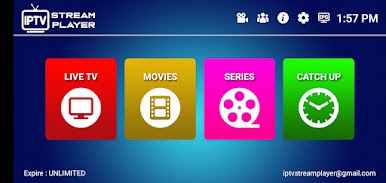
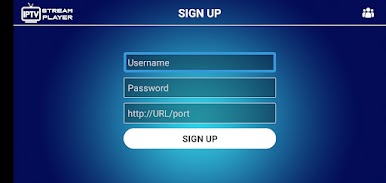
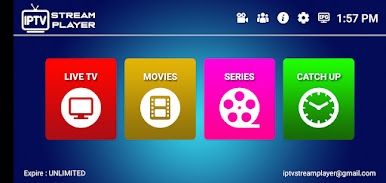
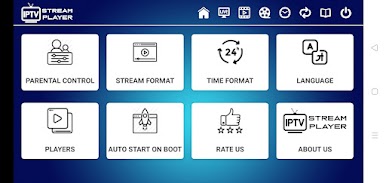
Play IPTV Stream Player on PC. It’s easy to get started.
-
Download and install BlueStacks on your PC
-
Complete Google sign-in to access the Play Store, or do it later
-
Look for IPTV Stream Player in the search bar at the top right corner
-
Click to install IPTV Stream Player from the search results
-
Complete Google sign-in (if you skipped step 2) to install IPTV Stream Player
-
Click the IPTV Stream Player icon on the home screen to start playing

