


Paint Hide and Seek: Online
Play on PC with BlueStacks – the Android Gaming Platform, trusted by 500M+ gamers.

Page Modified on: Aug 21, 2026
Main Paint Hide and Seek: Online on PC
Create a private room, share the room code, or jump into matchmaking and play with other people online. Play with up to 8 players in the same room.
Voice chat makes every round chaotic, funny, and full of suspicion. Accuse your friends, fake your location, laugh when someone walks past you, and celebrate when your camouflage actually works.
HOW TO PLAY
You have 180 seconds to find the perfect hiding spot.
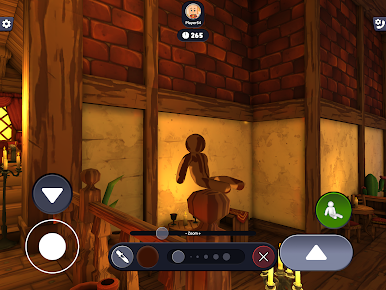
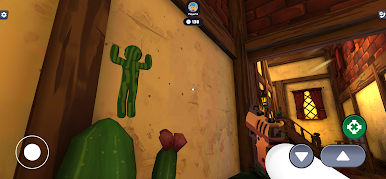
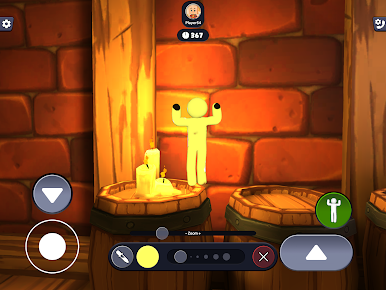
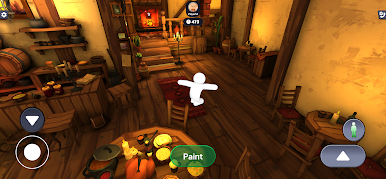
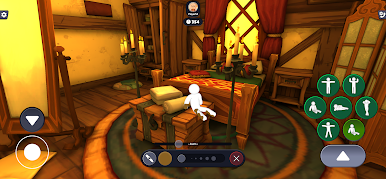
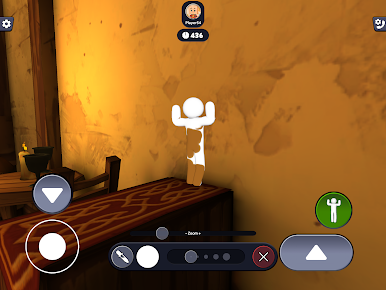
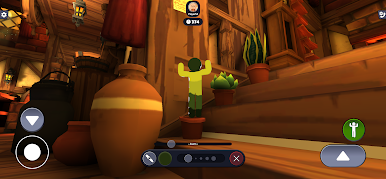
Run around the map, choose a wall, object, floor, corner, or weird little place, then paint yourself to match the background. The better you blend in, the harder it is for everyone to find you.
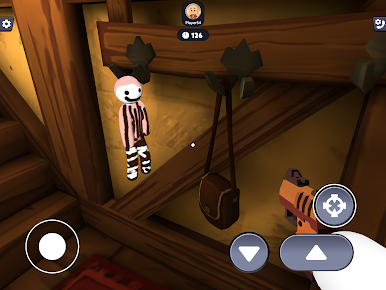
When hiding time ends, everyone starts seeking at the same time. Look carefully, trust your eyes, and try to spot the hidden players before they survive.
The last hidden player wins the round.
PAINT, BLEND, HIDE, SEEK
Paint Hide And Seek: Online combines colorful hide-and-seek gameplay with creative camouflage mechanics.
Instead of only hiding behind objects, you become part of the scene. Paint your character, match the colors around you, and blend into the background.
WHY YOU WILL LOVE PAINT HIDE AND SEEK: ONLINE
Online rooms for up to 8 players
Private room codes to play with friends
Matchmaking with other players
Voice chat for funny social gameplay
180 seconds to hide and paint yourself
Everyone seeks at the same time
Last hidden player wins
Colorful maps and sneaky hiding spots
Easy to learn, hard to master
Every round is different. One player may hide as a painted corner. Another may become almost invisible on a wall. Someone may stand in plain sight and still survive.
Paint yourself. Blend in. Trick your friends. Find the hidden players.
Play Paint Hide And Seek: Online now and start the ultimate online hide-and-seek battle.

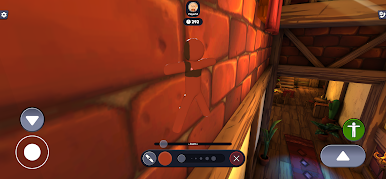
Play Paint Hide and Seek: Online on PC. It’s easy to get started.
-
Download and install BlueStacks on your PC
-
Complete Google sign-in to access the Play Store, or do it later
-
Look for Paint Hide and Seek: Online in the search bar at the top right corner
-
Click to install Paint Hide and Seek: Online from the search results
-
Complete Google sign-in (if you skipped step 2) to install Paint Hide and Seek: Online
-
Click the Paint Hide and Seek: Online icon on the home screen to start playing

