


Dragon King: Isle Saga
Play on PC with BlueStacks – the Android Gaming Platform, trusted by 500M+ gamers.

Page Modified on: Mar 24, 2026
Main Dragon King: Isle Saga on PC
Game feature:
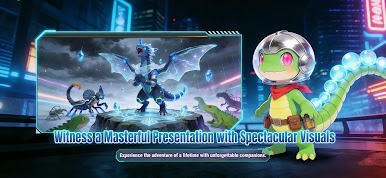
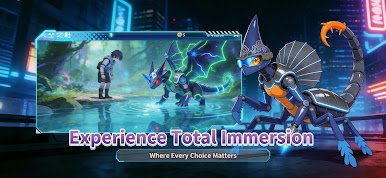
An Epic Coming-of-Age Story: Experience a captivating narrative inspired by timeless tales of royalty and redemption.
Explore a Vibrant Island: Discover the breathtaking, creature-filled lands of Vichiaya, from mystical forests to volcanic peaks.
Evolve Your Dragon: Nurture your dragon from a hatchling to a majestic king, unlocking new forms and devastating powers.
Master Elemental Magic: Command powerful spells and abilities to overcome fearsome beasts and challenging quests.
Build Your Dominion: Unite the creatures of the island, build your sanctuary, and rule your kingdom with wisdom and might.



Play Dragon King: Isle Saga on PC. It’s easy to get started.
-
Download and install BlueStacks on your PC
-
Complete Google sign-in to access the Play Store, or do it later
-
Look for Dragon King: Isle Saga in the search bar at the top right corner
-
Click to install Dragon King: Isle Saga from the search results
-
Complete Google sign-in (if you skipped step 2) to install Dragon King: Isle Saga
-
Click the Dragon King: Isle Saga icon on the home screen to start playing

