


Fallen Souls: Idle RPG
Play on PC with BlueStacks – the Android Gaming Platform, trusted by 500M+ gamers.

Page Modified on: Aug 21, 2026
Main Fallen Souls: Idle RPG on PC
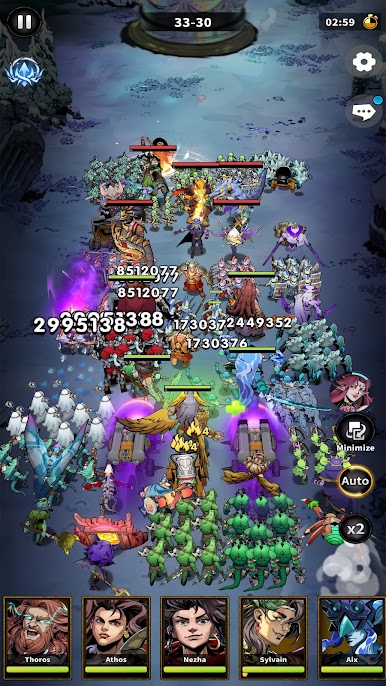
Enjoy the real F2P game, collect heroes, summon goddesses, merge soldiers, and command your formation across a 30-slot tactical battlefield right now to reveal the secret of the eternal night!
Core features
■Unique formation combat
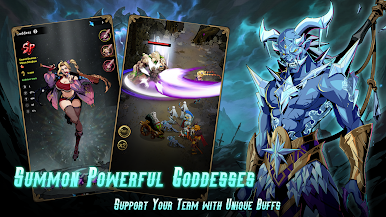
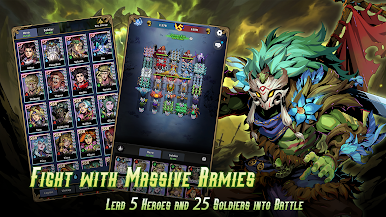
Place 5 Heroes and 25 Soldiers across a 30-slot battlefield for nearly endless tactical combinations. Deploy Goddesses as an additional unit outside the grid to support your whole team.
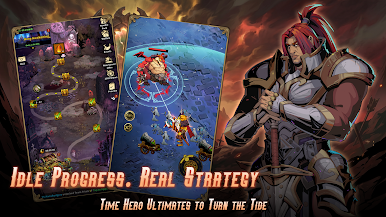
■Idle Progress. Real Strategy
Earn rewards offline, then return to meaningful strategic choices in combat and growth. Time your heroes’ ultimate skills to turn the tide with smart strategy.
■Merge & evolve soldiers
Combine troops to unlock higher-tier units to deal more damage. Stronger forms. Greater damage. New visuals.
■Base building unlocks systems
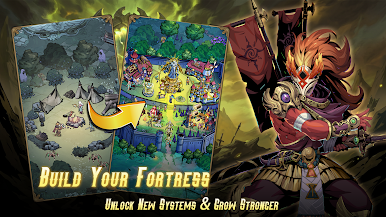
Construct and upgrade facilities that open recruitment, artifact crafting, soldier upgrades, and advanced gameplay modes.
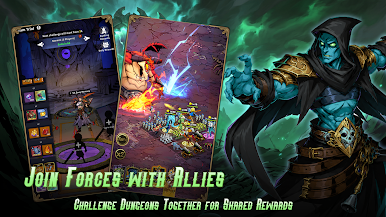
■Co-op team dungeons
Join friends and other players to clear challenging stages, coordinate tactics, and claim superior loot.
■Rich gameplay variety
Progress through story chapters, face epic boss challenges, climb tower trials, explore resource dungeons, and participate in seasonal events, ensuring fresh content and long-term replayability.
Start now! summon, merge, build, and dominate.
Our Community
Facebook: https://www.facebook.com/FallenSoulsIdleRPG
Discord: https://discord.gg/v3fsKezFNP



Play Fallen Souls: Idle RPG on PC. It’s easy to get started.
-
Download and install BlueStacks on your PC
-
Complete Google sign-in to access the Play Store, or do it later
-
Look for Fallen Souls: Idle RPG in the search bar at the top right corner
-
Click to install Fallen Souls: Idle RPG from the search results
-
Complete Google sign-in (if you skipped step 2) to install Fallen Souls: Idle RPG
-
Click the Fallen Souls: Idle RPG icon on the home screen to start playing

