


Lucky Knife Balloon Pop
Play on PC with BlueStacks – the Android Gaming Platform, trusted by 500M+ gamers.

Page Modified on: Jul 7, 2026
Play Lucky Knife Balloon Pop on PC
🎯 How to Play:
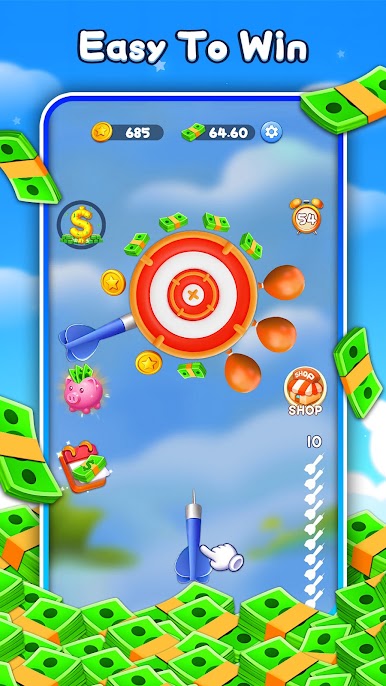
Tap to throw darts at the flying balloons to pop them.
Tap special balloons rapidly to inflate them until they burst!
Earn "Game Cash" automatically for every balloon you pop, for bursting inflated balloons, and for your overall activity.
Every 2 hours, we calculate your cash reward based on your Game Cash activity during that period.
More pops, bigger wins! Throwing knives accurately and triggering special features can lead to more Game Cash. (Important Note: The exchange rate between in-Game Cash and real cash is not 1:1)
💸 Easy Cash Out:
Withdraw your earnings directly to your designated account through our available methods.
Super low minimum withdrawal – start cashing out from just $0.01!
🌟 Lucky Knife Balloon Pop Features:
Classic & Exciting Knife Throwing & Balloon Popping Gameplay
Earn Real Money Rewards
Reward Calculation Every 2 hours
Low $0.01 Minimum Withdrawal
Important: Please ensure your withdrawal information is accurate to receive your payments smoothly.
📞 Support & Help:
Have questions or need assistance? Please contact us at: dev@joywingame.com
By downloading and using this app, you agree to our Terms of Service and Privacy Policy.
Terms of Service: https://joywingame.com/terms
Privacy Policy: https://joywingame.com/privacy-policy
Download Lucky Knife Balloon Pop now and pop your way to potential rewards!




Play Lucky Knife Balloon Pop on PC. It’s easy to get started.
-
Download and install BlueStacks on your PC
-
Complete Google sign-in to access the Play Store, or do it later
-
Look for Lucky Knife Balloon Pop in the search bar at the top right corner
-
Click to install Lucky Knife Balloon Pop from the search results
-
Complete Google sign-in (if you skipped step 2) to install Lucky Knife Balloon Pop
-
Click the Lucky Knife Balloon Pop icon on the home screen to start playing

