


Jacfitness
Play on PC with BlueStacks – the Android Gaming Platform, trusted by 500M+ gamers.

Page Modified on: Oct 4, 2026
Play Jacfitness on PC
Jacfitness is a motion-controlled sports gaming platform powered by the JMATE Bluetooth wristband. Punch, throw, swing, and spin — your real movements control the game.
Sports Games Include:
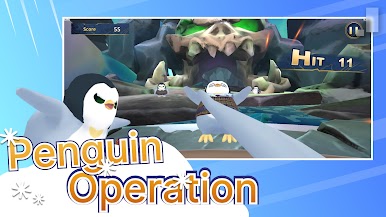
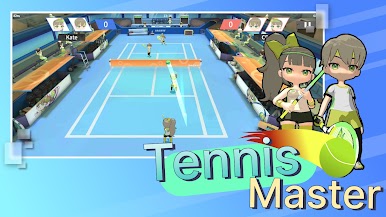
Boxing, Basketball, Fishing, Space Adventure, Baseball, Penguin Karate, Potion Cat, Golf, Curling, Tennis — with more games coming soon!
Key Features:
- Real motion controls — 6-axis accelerometer tracks your every move
- 2-Player mode — Challenge friends face-to-face (select games)
- Completely free — No subscriptions, no ads, no in-app purchases
- Leaderboards — Compete with players worldwide
- Challenge mode — Chain multiple stages and push your limits
- Multi-language support
- New games added regularly
Required Hardware:
JMATE 1 or JMATE 2 smart wristband. Connect via Bluetooth within the app.
Device Requirements:
- Android devices from the last 3 years
- Bluetooth connection (pair within the app)
Website: https://jacfit.com.tw



Play Jacfitness on PC. It’s easy to get started.
-
Download and install BlueStacks on your PC
-
Complete Google sign-in to access the Play Store, or do it later
-
Look for Jacfitness in the search bar at the top right corner
-
Click to install Jacfitness from the search results
-
Complete Google sign-in (if you skipped step 2) to install Jacfitness
-
Click the Jacfitness icon on the home screen to start playing

