


Jujutsu: Shibuya Incident
Play on PC with BlueStacks – the Android Gaming Platform, trusted by 500M+ gamers.

Page Modified on: Feb 4, 2026
Main Jujutsu: Shibuya Incident on PC
Master your unique “Contract,” command a team of powerful allies with distinct personalities, and survive in tactical, action-packed battles to uncover the truth behind the world’s distortion.
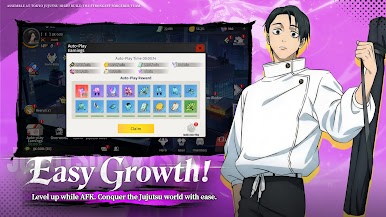
▶ Awaken Unique Powers: Unlock and deepen the unique ability system of each warrior for strategic character development.
▶ Form the Ultimate Team: Collect and synergize legendary fighters with distinct traits to build your perfect three-person squad.
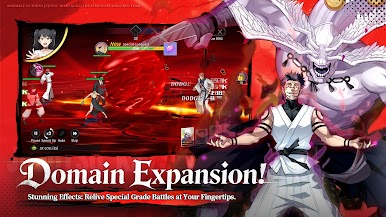
▶ Real-Time Synergy Combat: Execute precise skills and unleash spectacular combos in fast-paced, real-time battles that demand teamwork.
▶ Immerse in a Dark Metropolis: Explore highly detailed Tokyo locales—from bustling streets to abandoned schools—through layered story missions.
▶ Challenge Domain Lords: Team up with friends or compete online to take on powerful Domain Rulers and prove your strength.
A new threat emerges, and the world needs your power. Download now and begin your journey as a gifted warrior!
Follow our official community for the latest news and exclusive rewards!


Play Jujutsu: Shibuya Incident on PC. It’s easy to get started.
-
Download and install BlueStacks on your PC
-
Complete Google sign-in to access the Play Store, or do it later
-
Look for Jujutsu: Shibuya Incident in the search bar at the top right corner
-
Click to install Jujutsu: Shibuya Incident from the search results
-
Complete Google sign-in (if you skipped step 2) to install Jujutsu: Shibuya Incident
-
Click the Jujutsu: Shibuya Incident icon on the home screen to start playing

