


Box Simulator for Brawl Stars
Play on PC with BlueStacks – the Android Gaming Platform, trusted by 500M+ gamers.

Page Modified on: May 3, 2026
Play Box Simulator for Brawl Stars on PC or Mac
Join millions to experience Box Simulator for Brawl Stars, an exciting Simulation game from i6 Games. With BlueStacks App Player, you are always a step ahead of your opponent, ready to outplay them with faster gameplay and better control with the mouse and keyboard on your PC or Mac.
About the Game
Box Simulator for Brawl Stars is a fan-made Simulation from i6 Games that scratches that “just one more box” itch. It’s a stress-free sandbox where you pop boxes, build a dream collection, and tinker with upgrades—no pressure, no strings. It’s not connected to your Brawl Stars account, but it captures the vibe and gives you plenty to unlock and mess around with. Prefer a bigger screen? It runs nicely on BlueStacks too.
Game Features
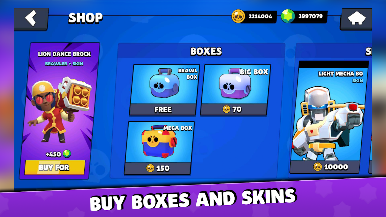
- Box Opening Fun: Tap to open boxes and watch your stash grow with new fighters, resources, and flashy looks. It’s all about the thrill of the reveal.
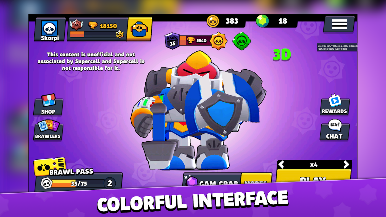
- 3D Characters: Check out fighters in 3D, with new models being added over time to keep things fresh.
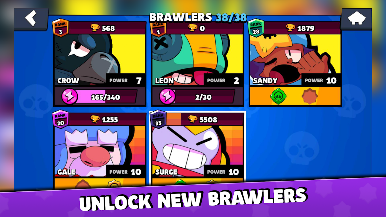
- Full Lineup and Skins: Browse a complete roster of characters along with their skins, recreated for simulation and collection.
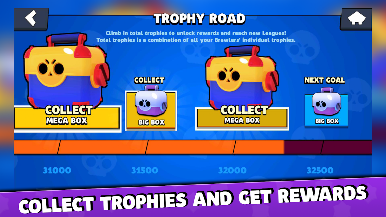
- Progress Path: Work through a milestone-style path that dishes out rewards as you play and complete goals.
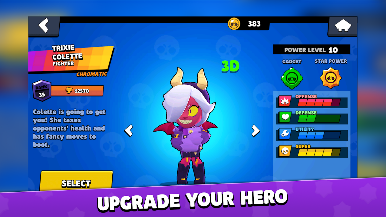
- Power Upgrades: Take any fighter from the starting point all the way to power level 10 and see how they stack up.
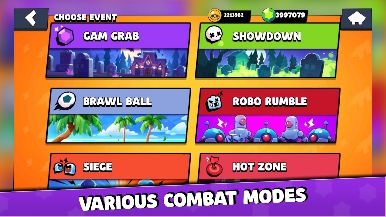
- Match Simulation: Run quick match sims to test lineups and upgrades without needing to jump into a live battle.
- Pure Sandbox: Everything you unlock and upgrade stays in this app. Nothing transfers to your Brawl Stars account.
- Fan Project: Made by fans for fans—this is an independent experience and isn’t affiliated with, sponsored by, or approved by Supercell.
Ready to top the leaderboard? We bet you do. Let precise controls and sharp visuals optimized on BlueStacks lead you to victory.
Play Box Simulator for Brawl Stars on PC. It’s easy to get started.
-
Download and install BlueStacks on your PC
-
Complete Google sign-in to access the Play Store, or do it later
-
Look for Box Simulator for Brawl Stars in the search bar at the top right corner
-
Click to install Box Simulator for Brawl Stars from the search results
-
Complete Google sign-in (if you skipped step 2) to install Box Simulator for Brawl Stars
-
Click the Box Simulator for Brawl Stars icon on the home screen to start playing

