


WhatWeather - Weather Station
Play on PC with BlueStacks – the Android Gaming Platform, trusted by 500M+ gamers.

Page Modified on: Sep 11, 2025
Play WhatWeather - Weather Station on PC
Following additional features can be purchased within the app:
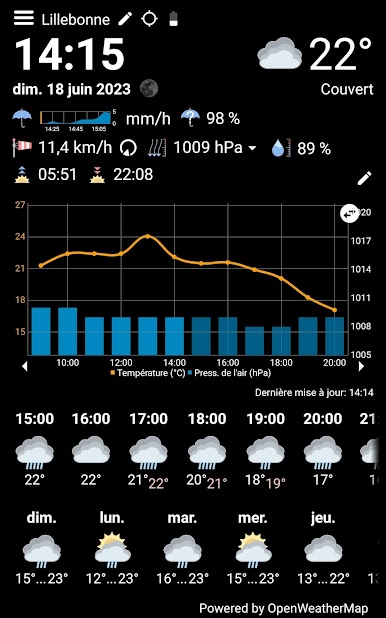
* Free choice of numerous weather data providers: OpenWeatherMap, Weather API, DWD, NOAA, Visual Crossing and WeatherFlow
* Optional integration with your private weather station via Netatmo, Weather Underground or WeatherFlow
* More frequent automatic refresh
* Minutely rain forecast
* Precipitation radar
* Display can be automatically dimmed/switched off
* Icons differentiating cloud cover and amount of rain and snow
* Moon phase
* Feels-like temperature
* History graph always filled
* Additional values: rain probability and intensity, cloud cover, dew point, UV index, ozone and visibility in a popup window
* Variable intervals for hourly forecasts and history
* Switchable full screen
FAQ
What is this app good for?
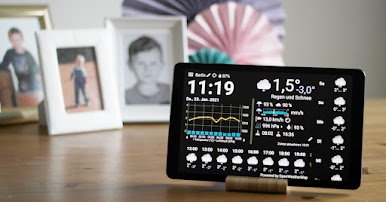
The initial idea was to revive old tablets, that are still working, but became too slow or too insecure because of the old Android version. Usually these tablets are still good enough to run WhatWeather.
How long can I use the app for free?
As long as you wish. It offers a basic set of features and can be upgraded with in-app purchases.
What is WhatWeather Pro?
WhatWeather Pro has become obsolete since WhatWeather provides the same features as an in-app purchase. You no longer have to install a separate app.
Do I have to purchase upgrades for each device separately?
No. Your in-app purchases are eligible for all devices assigned to your Google account.
Do you offer 24/7 support?
We give our best to check e-mails daily and to answer your requests.
Why is feature XY missing?
To contact us is a better idea, than to write a 1-star review. Give us a chance to put it on the list or to explain, why we don't want to implement it.
There is much empty space on the screen, why don't you fill it up with bigger font or additional data?
There is one layout, that has to fit all the different aspect ratios, time and date formats, languages and optional data, that you can turn on and off. Our reference is an old Google Nexus 7. We are improving the layout continuously, but it will possibly never fit your particular device perfectly.
WhatWeather asks for the GPS permission. What do you use it for?
The weather data providers need your position. WhatWeather tries to locate your device automatically. If you reject the permission or turn off the device's location service, you have to enter the location manually. There are no personal data besides the coordinates, language and app version submitted to the backend server.
Icons from https://icons8.com were used in this app.
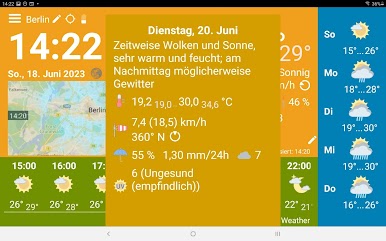

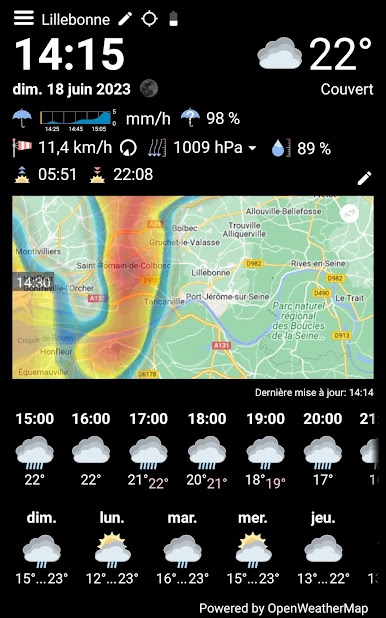
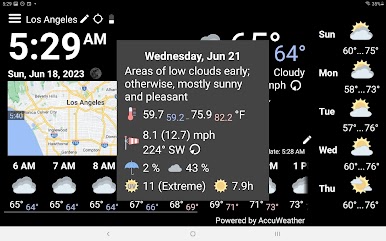
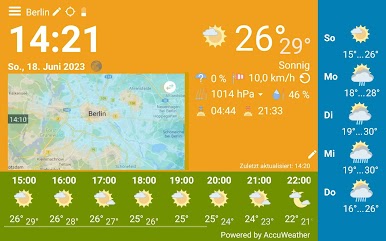

Play WhatWeather - Weather Station on PC. It’s easy to get started.
-
Download and install BlueStacks on your PC
-
Complete Google sign-in to access the Play Store, or do it later
-
Look for WhatWeather - Weather Station in the search bar at the top right corner
-
Click to install WhatWeather - Weather Station from the search results
-
Complete Google sign-in (if you skipped step 2) to install WhatWeather - Weather Station
-
Click the WhatWeather - Weather Station icon on the home screen to start playing

