


Dynamite Blue
Play on PC with BlueStacks – the Android Gaming Platform, trusted by 500M+ gamers.

Page Modified on: Oct 2, 2026
Main Dynamite Blue on PC
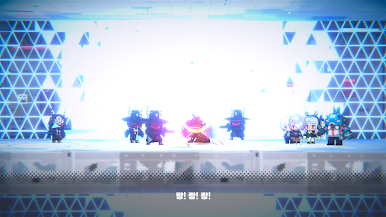
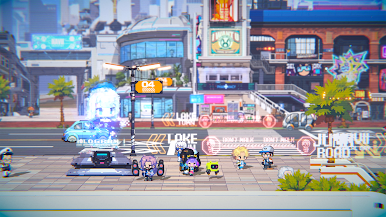
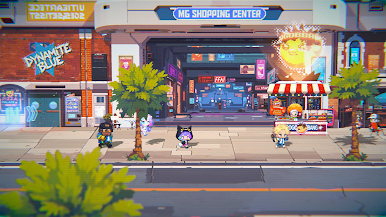
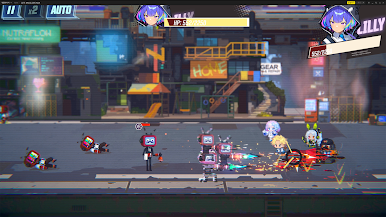
A future where Jagear — technology that replaces parts of the body with machinery — has spread across the world. A single city splits into three uneasy layers: the Air Ground high above, home to the privileged few; the lawless Underground where no light reaches; and the Midground in between, where ordinary people get through one day at a time.
■ Dynamite Blue — Just Another Day at the Agency
· A small private investigation agency in a corner of the Midground, taking any odd job that comes its way
· Pocket-change cases that spiral into something shaking the city's underbelly
· No money, no connections — but a cheerful crew that always sees a job through
■ Six-Element Matchups and Guardian Stone Breaks
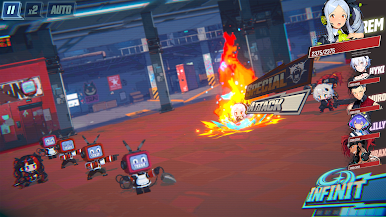
· A six-element cycle of strengths and weaknesses, where every move can decide the battle
· Guardian Stone Breaks reward clever matchups by turning the tide
· Strategy completed by BP, a shared battle resource your whole team builds together
· Every team composition makes for a battle of its own
■ 60+ Heroes, Each With a Story to Tell
· Over 60 unique characters, written and drawn with care
· "Pocket Story" — personal tales that give every hero their own backstory
· Companions who grow together with your team







Play Dynamite Blue on PC. It’s easy to get started.
-
Download and install BlueStacks on your PC
-
Complete Google sign-in to access the Play Store, or do it later
-
Look for Dynamite Blue in the search bar at the top right corner
-
Click to install Dynamite Blue from the search results
-
Complete Google sign-in (if you skipped step 2) to install Dynamite Blue
-
Click the Dynamite Blue icon on the home screen to start playing

