


Virtual Families Our New Home
Play on PC with BlueStacks – the Android Gaming Platform, trusted by 500M+ gamers.

Page Modified on: Nov 4, 2025
Play Virtual Families Communities on PC or Mac
Join millions to experience Virtual Families Communities, an exciting Simulation game from Last Day of Work, LLC. With BlueStacks App Player, you are always a step ahead of your opponent, ready to outplay them with faster gameplay and better control with the mouse and keyboard on your PC or Mac.
About the Game
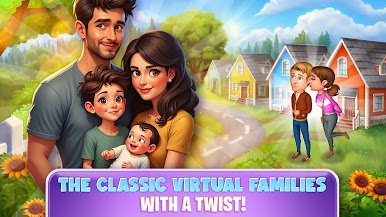
Virtual Families Communities lets you step into the shoes of an entire family, with plenty of twists and turns along the way. You’ll adopt new members, watch generations grow, and even join up with real-life communities online. Ever wondered how your little digital household would get by? Now’s your chance to find out, with all sorts of ways to keep things interesting—whether you’re totally hands-on, or just checking in when you’ve got a minute. Playing on BlueStacks actually makes keeping up with your family a breeze, no matter where you’re at.
Game Features
-
Build Your Own Family Line
Start with just one person, then help them fall in love, get married, and have kids. It’s up to you to guide each generation, watching them chase their dreams and tackle whatever life throws at them. -
Design the Perfect Home
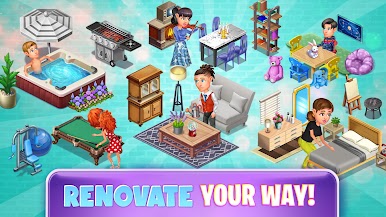
Don’t just stick to the basics. Create your dream home from scratch, decorating with new paints, furniture, and custom layouts. Enter themed contests to show off your style—maybe you want a cozy cottage or an ultra-modern city apartment. The choice is yours. -
Join Online Communities
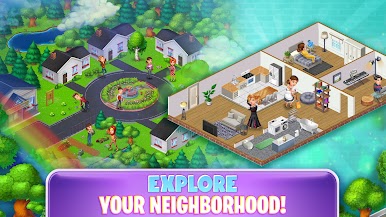
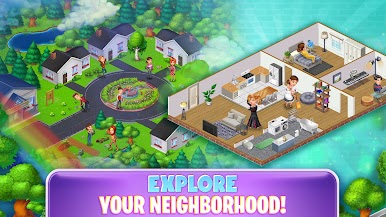
Bring your family into the bigger world by joining up with friends or meeting new people in public and private communities. Work together to decorate shared spaces or tackle group challenges, turning your neighborhood into a real community. -
Live Events and Random Surprises
Life keeps moving, even if you’re offline. Your family will grow, have random events pop up, and you’ll come back to surprises—sometimes funny, sometimes challenging. What’ll happen next? There’s only one way to find out. -
Guide Generations to Prosperity
Help each family member develop good habits and smart careers. Every choice matters, from how they decorate a room, to their life goals. They’ll even earn coins you can use for more upgrades, so there’s always something new around the corner. -
Real-Time Simulation
Life in Virtual Families Communities doesn’t pause when you close the app. Whether you’re playing on your phone or using BlueStacks for a bigger view, your virtual household keeps living, working, and growing up. You’ll want to check in—they miss you!
Make your gaming sessions memorable with precise controls that give you an edge in close combats and visuals that pop up, bringing every character to life.








Play Virtual Families Our New Home on PC. It’s easy to get started.
-
Download and install BlueStacks on your PC
-
Complete Google sign-in to access the Play Store, or do it later
-
Look for Virtual Families Our New Home in the search bar at the top right corner
-
Click to install Virtual Families Our New Home from the search results
-
Complete Google sign-in (if you skipped step 2) to install Virtual Families Our New Home
-
Click the Virtual Families Our New Home icon on the home screen to start playing

