


Legend of Heroes:Eternal Arena
Play on PC with BlueStacks – the Android Gaming Platform, trusted by 500M+ gamers.

Page Modified on: Aug 21, 2024
Play Legend of Heroes:Eternal Arena on PC or Mac
Explore a whole new adventure with Legend of Heroes:Eternal Arena, a Role Playing game created by Moye Games, Ltd.. Experience great gameplay with BlueStacks, the most popular gaming platform to play Android games on your PC or Mac.
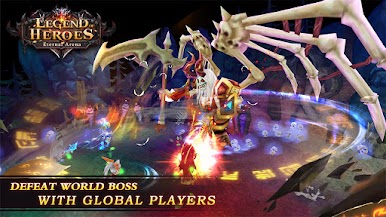
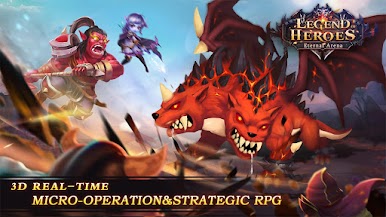
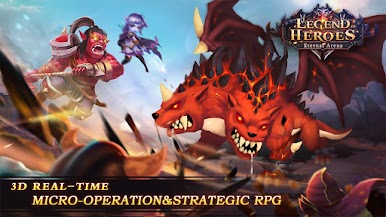
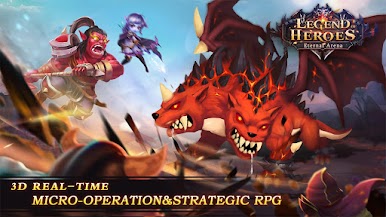
Legend of Heroes: Eternal Arena is one of those card RPGs that throws you into a big fantasy world—lots of dramatic story bits, magical lands, and classic good vs. evil stuff. You collect tons of different hero cards, and honestly, pulling cool new characters happens so often that everyone can build up a fun team pretty early. There’s a lot going on here for a card game. Some modes are pretty relaxed, like the kind where you set up your roster and let things play out in the background, but there’s also competitive challenges and rankings if that’s more your thing.
The story centers around a dark continent with demons lurking—and yeah, you’re the summoner who’s supposed to turn things around. The whole look of the game leans into bright fantasy colors and these detailed backgrounds, which makes every area feel lively. One thing that stands out is the way the combat doesn’t stick strictly to the usual turn-based card stuff. There are small strategic choices mid-battle, so it’s not just about watching things happen; players get to weigh in and shape how fights go. There’s a decent mix of story, collecting, and competition, and hopping between modes keeps it from feeling repetitive. Running it on PC with BlueStacks makes the visuals pop a bit more and helps manage big sessions, especially if you’re playing for a while or grinding through tougher stages. Overall, it feels like the kind of game that could hook anyone who likes collecting, tweaking teams, and seeing a fantasy story unfold at their own pace.
Make your gaming sessions memorable with precise controls that give you an edge in close combats and visuals that pop up, bringing every character to life.










Play Legend of Heroes:Eternal Arena on PC. It’s easy to get started.
-
Download and install BlueStacks on your PC
-
Complete Google sign-in to access the Play Store, or do it later
-
Look for Legend of Heroes:Eternal Arena in the search bar at the top right corner
-
Click to install Legend of Heroes:Eternal Arena from the search results
-
Complete Google sign-in (if you skipped step 2) to install Legend of Heroes:Eternal Arena
-
Click the Legend of Heroes:Eternal Arena icon on the home screen to start playing

