


Yepop - discover the world
Play on PC with BlueStacks – the Android Gaming Platform, trusted by 500M+ gamers.

Page Modified on: Jan 14, 2025
Run Yepop - discover the world on PC or Mac
Multitask effortlessly on your PC or Mac as you try out Yepop – discover the world, a Social app by Yepop Team on BlueStacks.
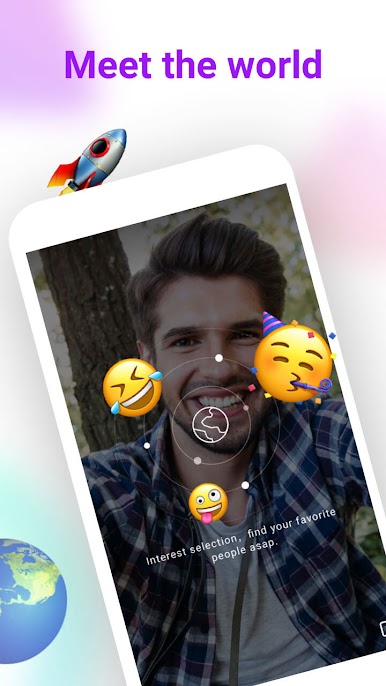
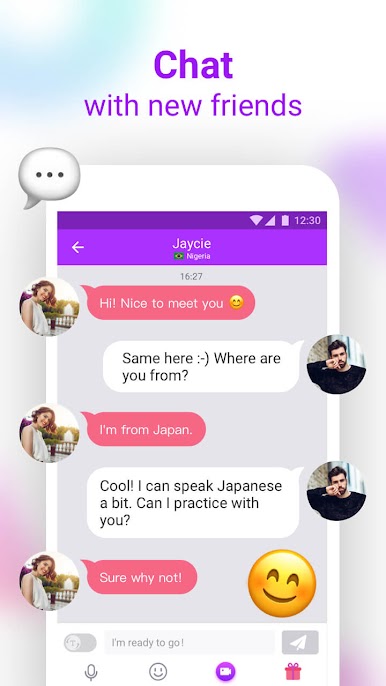
Yepop feels like a big global hangout where someone can wander into chats with people from all over and talk about culture, hobbies, or practice a language without pressure. The automatic translation is the standout here. Messages switch languages fast enough that conversations do not stall, so a shy learner can still keep up. The app throws in live stickers and cute filters that act like easy ice breakers. Slap on a silly effect, make someone laugh, then keep talking. If a chat clicks, there is a friend list to keep those people close, and a private history so memories do not disappear the next day.
It suits anyone who likes low-stakes, friendly conversation and wants a window into how people live elsewhere. On a PC with BlueStacks, the bigger screen and keyboard make long messages and language practice feel easier, and flipping through chats is less cramped. The whole thing runs on a coin system for extras, with small packs starting around a dollar and larger bundles if someone really gets into it, and there are no subscriptions to babysit. Refunds are possible within the first 48 hours in some cases, after that it goes through support, so it is not confusing. Common sense rules apply here too. Be polite, keep things respectful, and it turns into a surprisingly warm place to pass time and actually learn something.
Switch to BlueStacks and make the most of your apps on your PC or Mac.

Play Yepop - discover the world on PC. It’s easy to get started.
-
Download and install BlueStacks on your PC
-
Complete Google sign-in to access the Play Store, or do it later
-
Look for Yepop - discover the world in the search bar at the top right corner
-
Click to install Yepop - discover the world from the search results
-
Complete Google sign-in (if you skipped step 2) to install Yepop - discover the world
-
Click the Yepop - discover the world icon on the home screen to start playing

