


Last Fiefdom
Play on PC with BlueStacks – the Android Gaming Platform, trusted by 500M+ gamers.

Page Modified on: Mar 27, 2026
Main Last Fiefdom on PC
◆ Raise towering citadels guarded by fireballistas and boiling oil pits to withstand months-long sieges!
◆ Hatch dragons from ancient eggs – nurture them into firestorm-breathing titans to incinerate enemy legions!
◆ Join global multiplayer alliances for massive 100v100 castle assaults – coordinate dragon flights to melt enemy gates!
◆ Infiltrate rival courts with spies to sabotage their dragon-feeding grounds before declaring war!
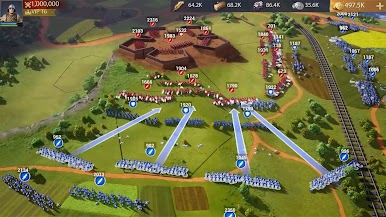
◆ Master siege strategy: Deploy trebuchets to smash walls, then flood breaches with armored knights!
◆ Research combat tactics like night invisibility and phalanx formations to dominate PvP battles!
Dare you wear the crown of Fiefdom? Be the dragon-tamer, the war-hero, the uniter of shattered realms! Forge your myth in fire and steel! Command your forces in this legendary multiplayer strategy conquest – free to play, eternal glory awaits!
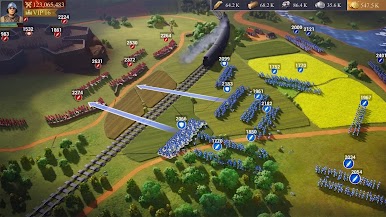
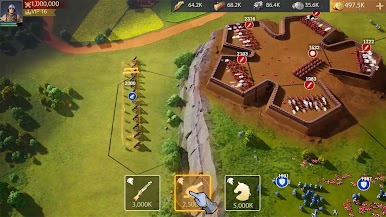
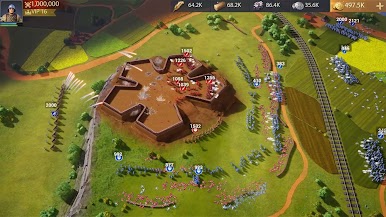
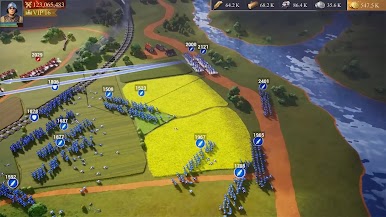
Play Last Fiefdom on PC. It’s easy to get started.
-
Download and install BlueStacks on your PC
-
Complete Google sign-in to access the Play Store, or do it later
-
Look for Last Fiefdom in the search bar at the top right corner
-
Click to install Last Fiefdom from the search results
-
Complete Google sign-in (if you skipped step 2) to install Last Fiefdom
-
Click the Last Fiefdom icon on the home screen to start playing

