


Mud Rush
Play on PC with BlueStacks – the Android Gaming Platform, trusted by 500M+ gamers.

Page Modified on: Mar 25, 2026
Play Mud Rush on PC
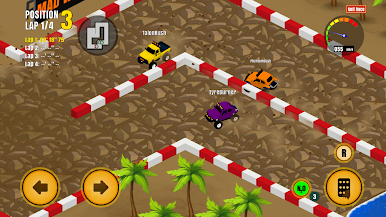
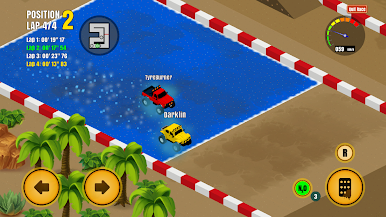
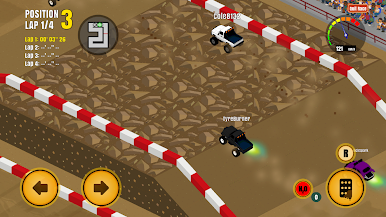
Inspired by legends like Rock n’ Roll Racing and Super Off Road, Mud Rush puts you behind the wheel in intense races where skill and strategy matter just as much as speed.
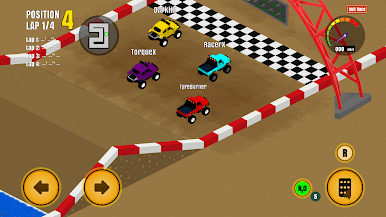
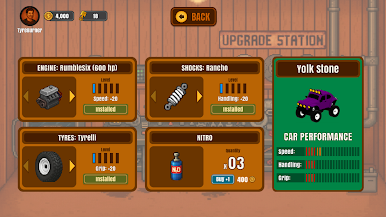
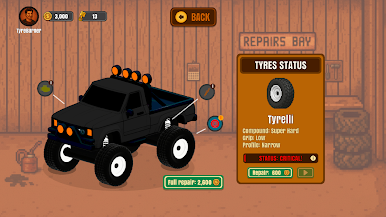
Race against other drivers in online races, fight for the top spot, and earn money to keep your machine alive. Every race wears your car down — engines lose performance, tyres lose grip, and suspension takes a beating. Between races, you’ll need to repair, upgrade, and fine-tune your vehicle to stay competitive.
Progress through the game to unlock new cars and races, each with unique handling and challenges. Some rides are fast on straights, others are better at cornering — choose wisely, because the track shows no mercy.
Features
🚙 Retro-style isometric 2D off-road racing
🏁 Multiplayer races with real competition
🔧 Car repairs and performance upgrades
💰 Earn money through races to improve your ride
🚗 Unlock new cars and tracks as you progress
🎮 Classic arcade feel with modern systems
Mud Rush is not just about crossing the finish line — it’s about managing your machine, outsmarting your rivals, and surviving the dirt.
Start your engines. The mud is waiting.
Play Mud Rush on PC. It’s easy to get started.
-
Download and install BlueStacks on your PC
-
Complete Google sign-in to access the Play Store, or do it later
-
Look for Mud Rush in the search bar at the top right corner
-
Click to install Mud Rush from the search results
-
Complete Google sign-in (if you skipped step 2) to install Mud Rush
-
Click the Mud Rush icon on the home screen to start playing

