


Mains'l Solutions EVV
Play on PC with BlueStacks – the Android Gaming Platform, trusted by 500M+ gamers.

Page Modified on: Aug 4, 2026
Play Mains'l Solutions EVV on PC
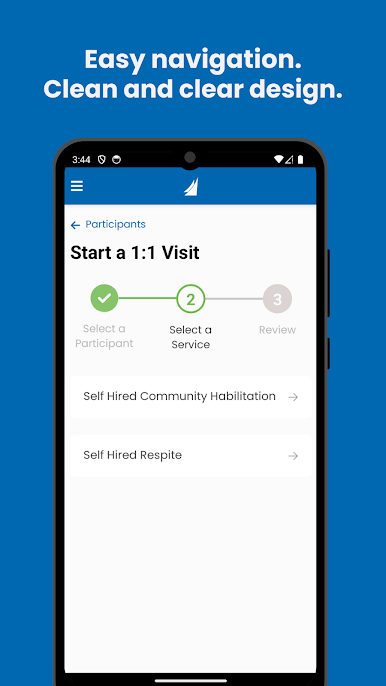
• The easy to view screens and simple steps allows for the provider to select the person they are supporting, the service they are providing and start their visit with just a few quick presses. When the visit ends the provider uses a couple simple presses to complete the visit.
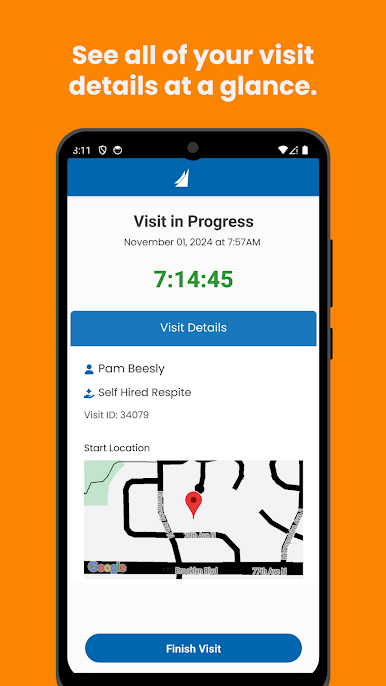
• Mains’l EVV Solution is in full compliance with the 21st Century Cures Act by capturing:
o The date and time the visit starts
o The location the visit starts
o The person being supported
o The service being provided
o The date and time the visit ends
o The location the visit ends
• While the app captures the start and end locations of the visit using GPS, it does not track the user during the visit. It simply takes a snapshot of the location when they start the visit and another snapshot when they click the end visit button.
• All visit information is accessible by your administrative team, the employee and other designated users.
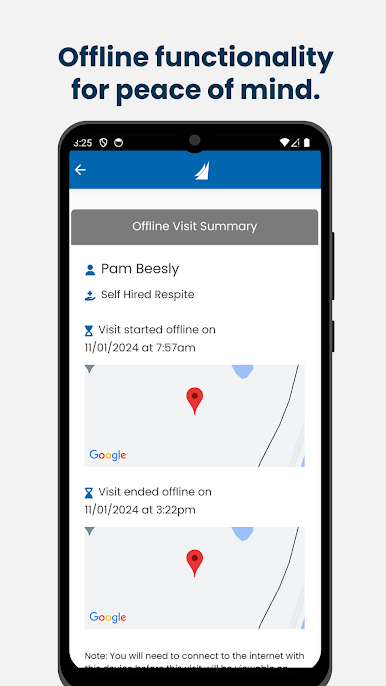
• The Mains’l Solutions EVV app allows for complete capturing of data when the user does not have internet connectivity. The app will store the encrypted visit information and will transmit the data once the user has internet connectivity.
Play Mains'l Solutions EVV on PC. It’s easy to get started.
-
Download and install BlueStacks on your PC
-
Complete Google sign-in to access the Play Store, or do it later
-
Look for Mains'l Solutions EVV in the search bar at the top right corner
-
Click to install Mains'l Solutions EVV from the search results
-
Complete Google sign-in (if you skipped step 2) to install Mains'l Solutions EVV
-
Click the Mains'l Solutions EVV icon on the home screen to start playing

