


Live Tile Star 2: Love Story
Play on PC with BlueStacks – the Android Gaming Platform, trusted by 500M+ gamers.

Page Modified on: Sep 11, 2026
Play Live Tile Star 2: Love Story on PC or Mac
Explore a whole new adventure with Live Tile Star 2: Love Story, a Puzzle game created by COLORFULSTREAM TECH LIMITED. Experience great gameplay with BlueStacks, the most popular gaming platform to play Android games on your PC or Mac.
About the Game
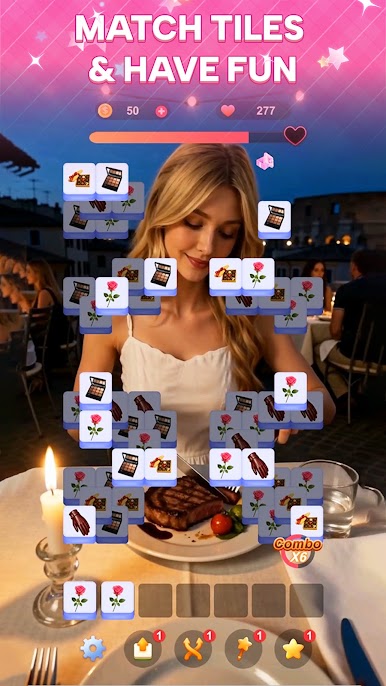
Live Tile Star 2: Love Story is a Puzzle game that blends chilled-out three-of-a-kind tile matching with sweet, character-focused storytelling. Clear boards to unlock scenes, get to know a cast of heroines, and watch quiet moments turn into something more. It’s easy to learn, pleasantly strategic, and feels great in short bursts or longer sessions—especially on BlueStacks if you like playing on a bigger screen.
Game Features
- Three-of-a-kind matching: Spot tiles, make clean sets of three, and sweep the board in a way that’s simple to start and surprisingly satisfying to master.
- Character-driven stories: Meet a new lineup of heroines, each with distinct personalities and layered backgrounds, and reveal their moments as you progress.
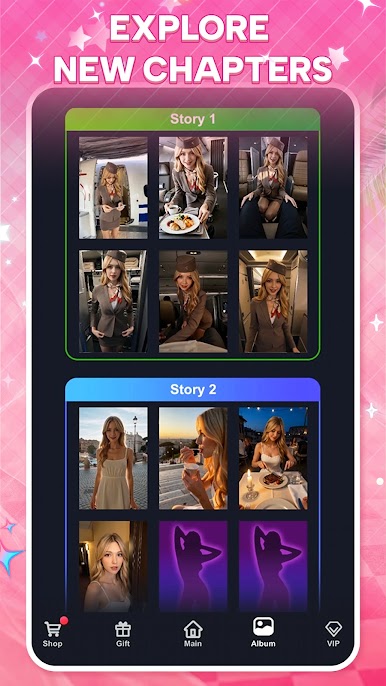
- Chapter unlocks: Clear stages to open fresh scenes and push each relationship forward, one chapter at a time.
- Gorgeous art and scenes: Enjoy expressive character portraits and carefully framed story visuals that make every interaction feel special.
- Loads of stages: Work through hundreds of handcrafted layouts that steadily raise the challenge while keeping the flow smooth.
- Handy power-ups: Use helpful tools when a layout gets stubborn, giving you a fair nudge without breaking the rhythm.
- Play at your pace: Knock out a quick board on a break or settle in for a longer run—every cleared stage moves you closer to the next heartfelt moment.
Start your journey now. Download the game on BlueStacks, invite your friends, and march on a new adventure.







Play Live Tile Star 2: Love Story on PC. It’s easy to get started.
-
Download and install BlueStacks on your PC
-
Complete Google sign-in to access the Play Store, or do it later
-
Look for Live Tile Star 2: Love Story in the search bar at the top right corner
-
Click to install Live Tile Star 2: Love Story from the search results
-
Complete Google sign-in (if you skipped step 2) to install Live Tile Star 2: Love Story
-
Click the Live Tile Star 2: Love Story icon on the home screen to start playing

