


Tails Adventure
Play on PC with BlueStacks – the Android Gaming Platform, trusted by 500M+ gamers.

Page Modified on: Apr 26, 2026
Play Tails Adventure on PC or Mac
Bring your A-game to Tails Adventure, the Adventure game sensation from mechakotik. Give your gameplay the much-needed boost with precise game controls, high FPS graphics, and top-tier features on your PC or Mac with BlueStacks.
About the Game
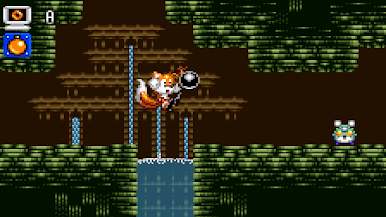
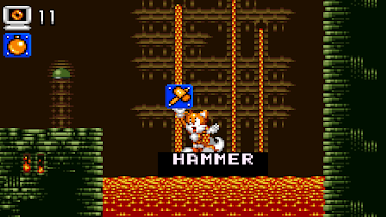
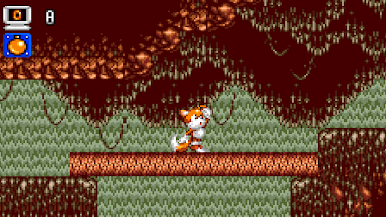
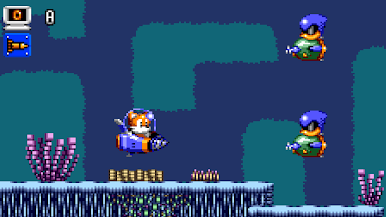
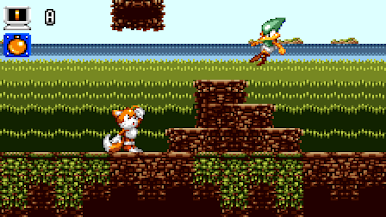
Tails Adventure is a fanmade take on a beloved classic, rebuilt to feel good on today’s devices while keeping its laid-back, exploratory vibe. It’s all about poking around levels, trying tools, and figuring out neat little paths at your own pace. Developed by mechakotik, this Adventure project is still growing, and the current demo already shows a clear vision: familiar charm with smoother play.
Game Features
- Classic, reimagined: Keeps the spirit of the original Tails Adventure while updating the feel so it’s comfortable and clean on modern hardware.
- Exploration-first design: Levels are set up for curious players—take a turn, test an idea, backtrack if you want, and discover smarter routes as you go.
- Quality-of-life polish: Subtle tweaks reduce friction, from snappier interactions to less fiddly moments, so more time goes into actual play and less into busywork.
- Modern pacing: Built to be approachable—jump in for a short session or settle in and methodically clear a stage without pressure.
- Active development: It’s a work in progress, so expect refinements and changes as mechakotik continues to build toward the full set of content.
- Demo with room to grow: The latest release includes 9 of 12 planned playable levels, offering a solid chunk of content while hinting at what’s next.
- Play where you like: Enjoy it on mobile, or run it on your PC with BlueStacks if you want a bigger screen and comfy desktop controls.
Start your journey now. Download the game on BlueStacks, invite your friends, and march on a new adventure.

Play Tails Adventure on PC. It’s easy to get started.
-
Download and install BlueStacks on your PC
-
Complete Google sign-in to access the Play Store, or do it later
-
Look for Tails Adventure in the search bar at the top right corner
-
Click to install Tails Adventure from the search results
-
Complete Google sign-in (if you skipped step 2) to install Tails Adventure
-
Click the Tails Adventure icon on the home screen to start playing

