


Power Automate
Play on PC with BlueStacks – the Android Gaming Platform, trusted by 500M+ gamers.

Page Modified on: Sep 12, 2025
Play Power Automate on PC
Use Power Automate to:
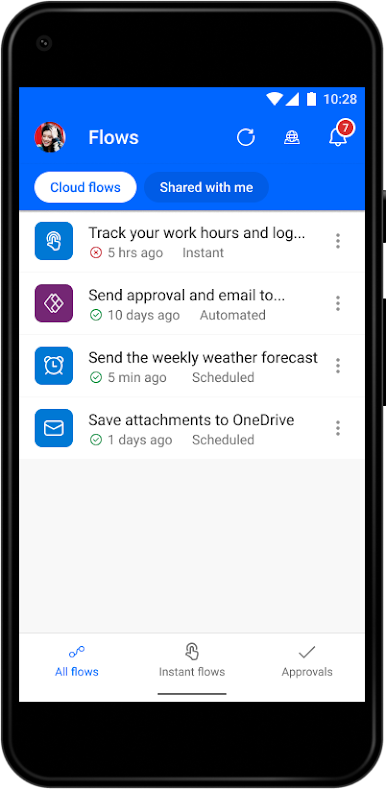
Edit your flows on the go
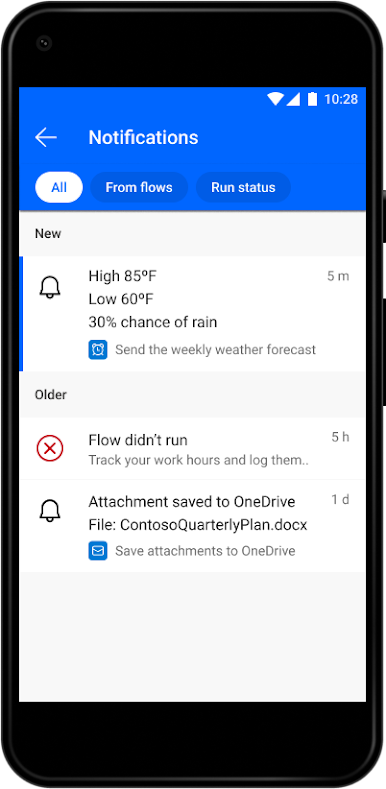
Get a notification when you receive an email from your boss
Record your work hours to a spreadsheet with the tap of a button
Automatically download email attachments to cloud storage
Capture, track, and follow up on sales leads, and connect to your CRM platform
Get notified when a work item is updated
And so much more!
Key features:
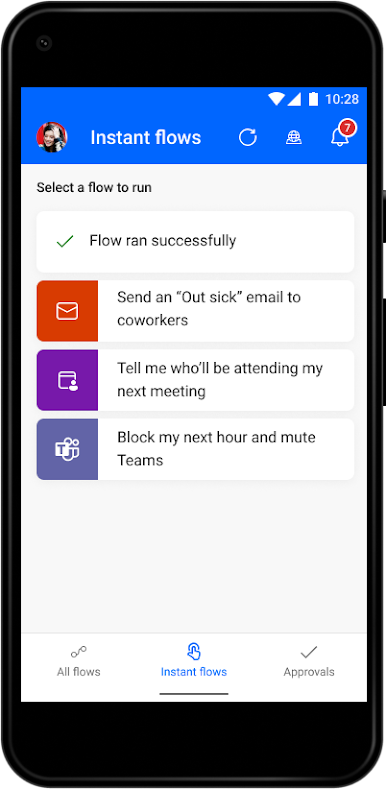
Trigger flows to run with just a tap
Monitor flow activity directly from your mobile device
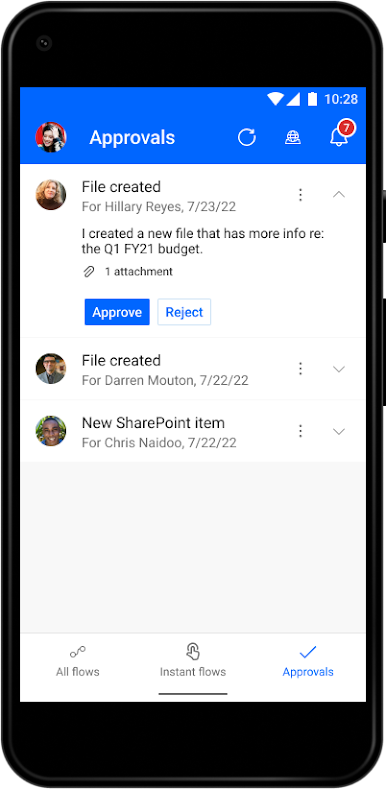
Grant approvals from the palm of your hand
Send and receive push notifications
Create a shortcut for an instant flow on your mobile device's home screen
Hundreds of apps and services connect with Power Automate, including the following: OneDrive, Dataverse, Office 365, Outlook, Microsoft Teams, SAP, Twitter, JIRA, Google Drive, Azure, Dropbox, and more!
Download the Power Automate for mobile app and start automating your tasks today!
Please refer to Microsoft's EULA for Terms of Service for Power Automate for Android. By installing the app, you agree to these terms and conditions: https://go.microsoft.com/fwlink/?linkid=2131507
To learn more about the full capabilities of Power Automate, visit Microsoft.com/PowerAutomate.
Play Power Automate on PC. It’s easy to get started.
-
Download and install BlueStacks on your PC
-
Complete Google sign-in to access the Play Store, or do it later
-
Look for Power Automate in the search bar at the top right corner
-
Click to install Power Automate from the search results
-
Complete Google sign-in (if you skipped step 2) to install Power Automate
-
Click the Power Automate icon on the home screen to start playing

