


MemeMix Challenge: Funny Party
Play on PC with BlueStacks – the Android Gaming Platform, trusted by 500M+ gamers.

Page Modified on: Oct 8, 2026
Play MemeMix Challenge: Funny Party on PC
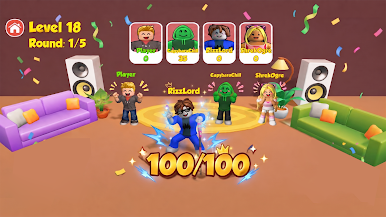
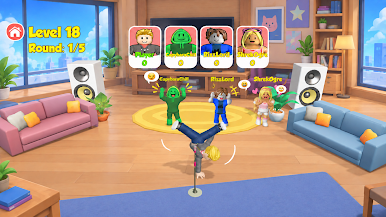
Mimic crazy sound effects, viral meme soundbites, anime voices, and famous character lines
🔥 Key feature:
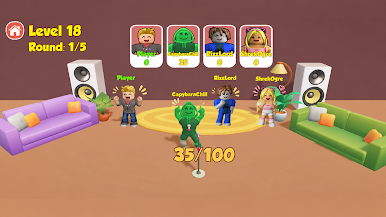
🎙️ Real time AI voice scoring
Our smart AI evaluates your pitch, rhythm, and tone. Mimic sounds accurately to hit 100 points and win!
🎯 One sound, One challenge
Listen. Mimic. Get your score. Then take on the next sound and see if you can do even better.
😂 Funny voice moment
Not every mimic goes as planned. Some attempts sound surprisingly accurate, while others can turn into hilarious moments.
📦Viral sound packs
• Anime Edition: Iconic anime lines & waifu sounds.
• Meme Vault: Viral soundbites & funny laugh FX.
• Character Voices: Cartoon figures & superhero quotes.
• Animal Chaos: Screaming goats, crazy cats & wild animal sounds.
Ready to test your voice skills and troll your friends? Play now and get the party started! 🎉
Play MemeMix Challenge: Funny Party on PC. It’s easy to get started.
-
Download and install BlueStacks on your PC
-
Complete Google sign-in to access the Play Store, or do it later
-
Look for MemeMix Challenge: Funny Party in the search bar at the top right corner
-
Click to install MemeMix Challenge: Funny Party from the search results
-
Complete Google sign-in (if you skipped step 2) to install MemeMix Challenge: Funny Party
-
Click the MemeMix Challenge: Funny Party icon on the home screen to start playing

