


My Diary: Journal Notes & Mood
Play on PC with BlueStacks – the Android Gaming Platform, trusted by 500M+ gamers.

Page Modified on: Oct 15, 2025
Run My Diary - Daily Notes, Journal & Mood Tracker on PC or Mac
What’s better than using My Diary – Daily Notes, Journal & Mood Tracker by MS International? Well, try it on a big screen, on your PC or Mac, with BlueStacks to see the difference.
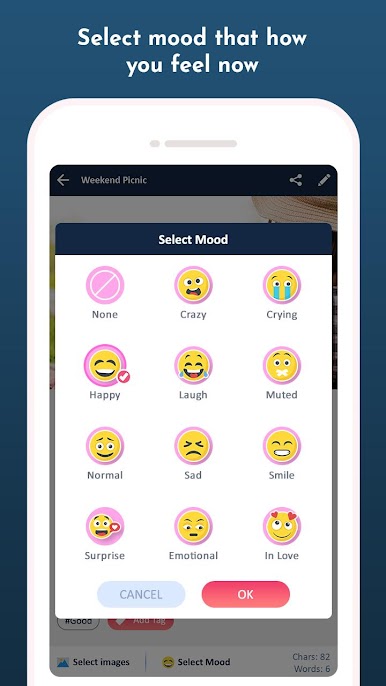
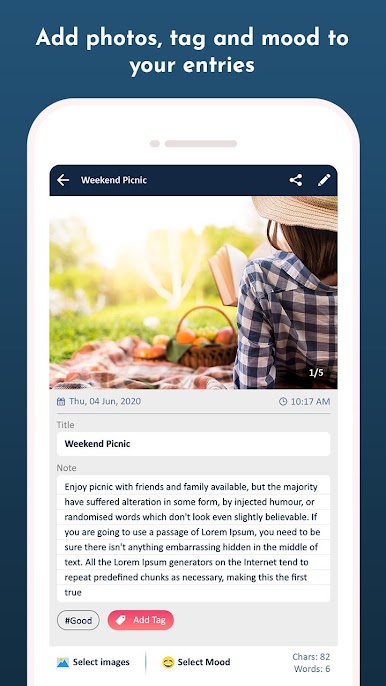
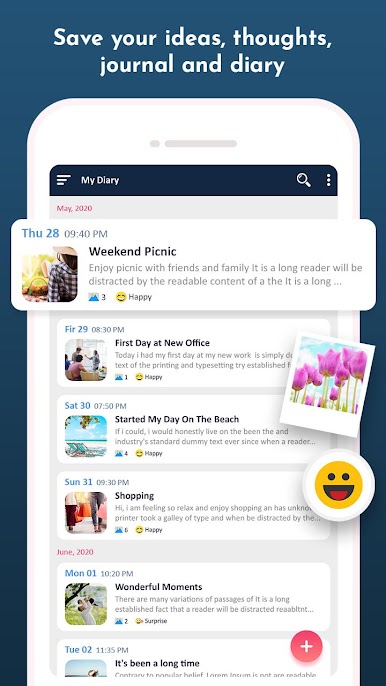
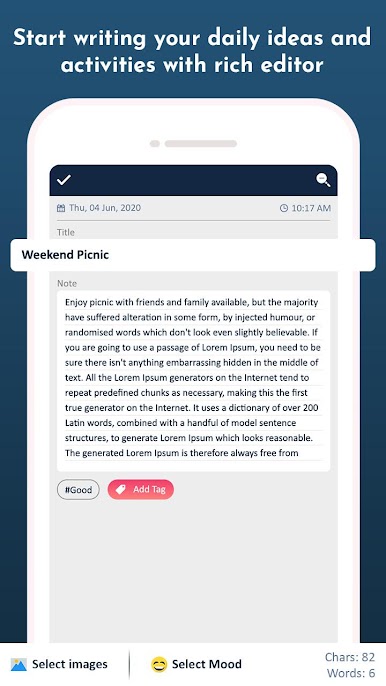
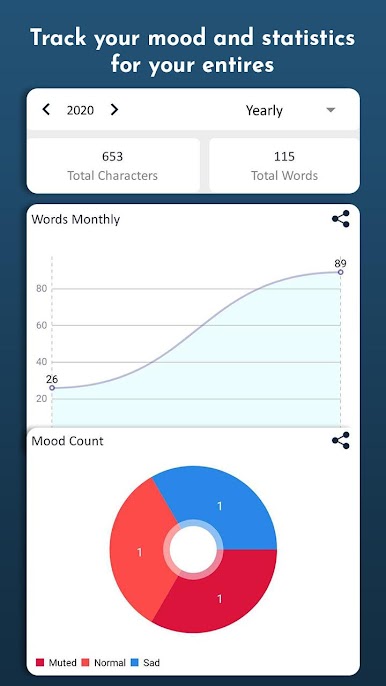
So, anyone looking for a simple way to jot down their thoughts or track moods will probably find My Diary – Daily Notes, Journal & Mood Tracker pretty handy. On PC with BlueStacks, it really just feels like having a notebook open on your desktop all the time, but a lot less messy. People can type up their daily events or big ideas, drop in a few photos from their gallery, and mark each day with a mood emoji. The mood part is helpful for figuring out patterns or just for remembering how a certain week felt. Entries can be locked with a passcode for privacy, which actually makes it feel like a real secret diary.
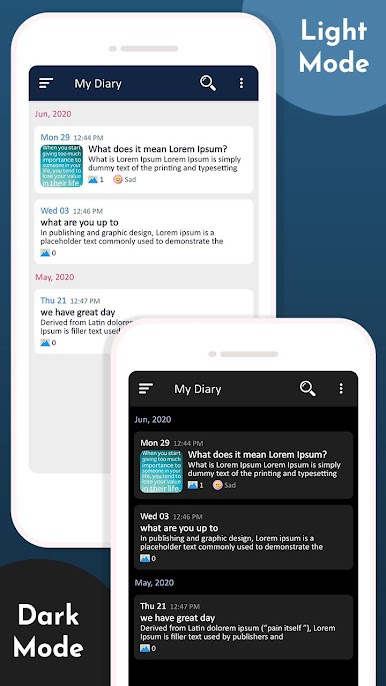
The search feature really stands out—you can find past notes by keywords, filter by dates or tags, so it’s not hard to keep things organized if someone’s using it a lot. Swapping between different colors and themes is there too, and it’s a nice touch for anyone who likes the app to feel personal. For backing stuff up, you’re covered with both local backup and Google Drive, with privacy staying in your own hands. There are reminders you can set so no one forgets to write, which is surprisingly useful if days start blending together. It’s just straightforward—keeping track of memories, organizing little details, being able to pull them up later, all without feeling complicated. It’s not flashy but it does the job well, especially if someone prefers to type on a keyboard rather than their phone.
Switch to BlueStacks and make the most of your apps on your PC or Mac.


Play My Diary: Journal Notes & Mood on PC. It’s easy to get started.
-
Download and install BlueStacks on your PC
-
Complete Google sign-in to access the Play Store, or do it later
-
Look for My Diary: Journal Notes & Mood in the search bar at the top right corner
-
Click to install My Diary: Journal Notes & Mood from the search results
-
Complete Google sign-in (if you skipped step 2) to install My Diary: Journal Notes & Mood
-
Click the My Diary: Journal Notes & Mood icon on the home screen to start playing

