


Soda Coin Party Dozer
Play on PC with BlueStacks – the Android Gaming Platform, trusted by 500M+ gamers.

Page Modified on: Oct 22, 2025
Play Soda Coin Party Dozer on PC
SPECIAL POWER-UPS
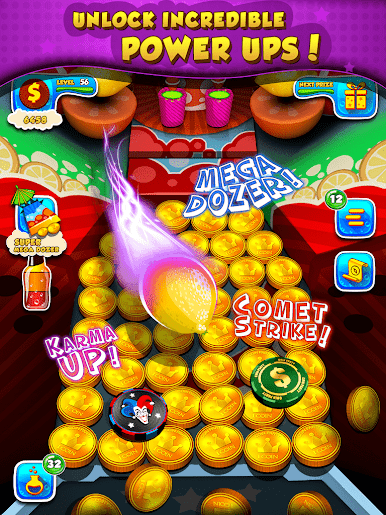
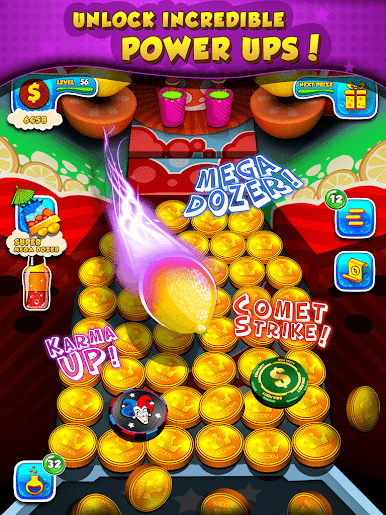
You have a ton of power-ups at your disposal to energize the game table.
-Mega Dozer (enables an extended dozer that pushes even more coins into your bank)
-Soda Wall (enables a shield of soda cans so none of your coins or prizes goes into the gutter)
-Lemon Attack (launches lemons on the game table pushing more and more coins and prizes into your bank)
-Shake (shake the soda factory and push all your coins and prizes into your bank)
-Fruit Wing (releases a tornado that rampages on the game table pushing all coins and prizes into your bank)
QUESTS
How many of the 70 quests can you unlock? Compete with your friends & see who becomes the ultimate COIN EXPLORER first.
PARTY SLOTS
Feeling lucky? Head over to the slots & bet gold bars to multiply your rewards. Think you can win the jackpot?!
FORTUNE WHEEL
Got a spin token? Got 10? Spin the fortune wheel & hang on to your seat as the wheel slows down towards your reward.
LEADERBOARD
See how you're doing compared to everyone in our vibrant community. Try to unlock all the achievements to become the ultimate COIN MASTER!













Play Soda Coin Party Dozer on PC. It’s easy to get started.
-
Download and install BlueStacks on your PC
-
Complete Google sign-in to access the Play Store, or do it later
-
Look for Soda Coin Party Dozer in the search bar at the top right corner
-
Click to install Soda Coin Party Dozer from the search results
-
Complete Google sign-in (if you skipped step 2) to install Soda Coin Party Dozer
-
Click the Soda Coin Party Dozer icon on the home screen to start playing

