


EasyTether Full
Play on PC with BlueStacks – the Android Gaming Platform, trusted by 500M+ gamers.

Page Modified on: Aug 23, 2023
Run EasyTether Full on PC or Mac
Multitask effortlessly on your PC or Mac as you try out EasyTether Full, a Communication app by Mobile Stream on BlueStacks.
About the App
Ever needed to get your computer, tablet, or even a game console online but didn’t have Wi-Fi handy? EasyTether Full by Mobile Stream makes it super simple to share your phone’s Internet connection with all sorts of devices. Whether you’re working on your laptop, setting up a router, or just want to give your old tablet a boost, this app’s got your back. No tech headaches, no complicated setup—just a smarter way to keep your world connected.
App Features
-
USB Tethering Made Simple
Connect your phone to your Windows, Mac, or Linux computer (even FreeBSD and some routers!) using good old-fashioned USB. It works smoothly with a wide range of tablets, too. -
Bluetooth Tethering
No cable? No problem. Share your Internet connection via Bluetooth with compatible computers and Android tablets, perfect for when you want to keep things wireless. -
Game Console Connectivity
Need to get your PS3, Xbox, or Wii online? EasyTether Full can help you share your connection through your computer for a seamless experience. -
No Root Required
No need to fiddle around with rooting your phone or jumping through carrier hoops. Just install and you’re all set—security stays tight by using only official phone APIs. -
One-Time Purchase, No Surprises
Pay once and use it as much as you want. No subscriptions, no hidden fees popping up down the road. -
Works Great with BlueStacks
Want to run EasyTether Full through BlueStacks? Totally doable and just as effective as on your actual device. -
Extended Refund Policy
Change your mind within 30 days? You’re covered, no questions asked. -
Built From Scratch for Reliability
Unlike quick-fix tethering widgets, EasyTether Full is created from scratch, so it’s reliable and not dependent on unstable workarounds—just consistent Internet sharing where you need it.
BlueStacks gives you the much-needed freedom to experience your favorite apps on a bigger screen. Get it now.
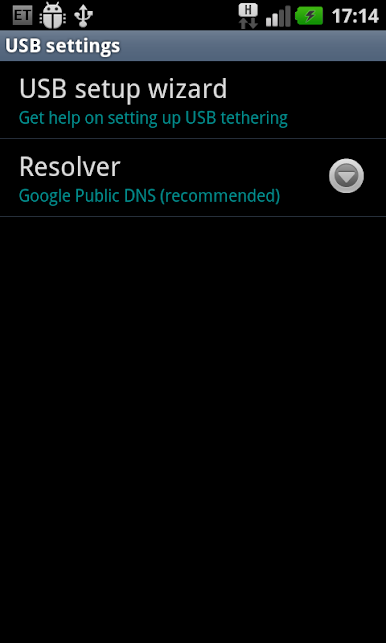
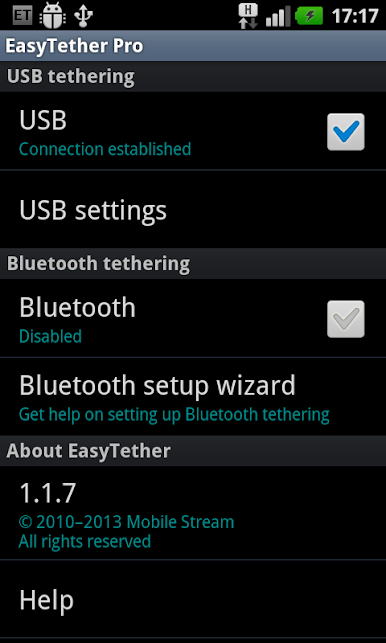

Play EasyTether Full on PC. It’s easy to get started.
-
Download and install BlueStacks on your PC
-
Complete Google sign-in to access the Play Store, or do it later
-
Look for EasyTether Full in the search bar at the top right corner
-
Click to install EasyTether Full from the search results
-
Complete Google sign-in (if you skipped step 2) to install EasyTether Full
-
Click the EasyTether Full icon on the home screen to start playing

