


Eternal Sword Pact
Play on PC with BlueStacks – the Android Gaming Platform, trusted by 500M+ gamers.

Page Modified on: Feb 6, 2026
Play Eternal Sword Pact on PC or Mac
Eternal Sword Pact is a Role Playing game developed by Leniu Technology Co., Limited. BlueStacks app player is the best platform to play this Android game on your PC or Mac for an immersive gaming experience.
Long after the great war that erupted between the two clans, witches and demons, claimed many lives. The Demon Taihao stepped in to end the war and unite the demon clan once again. But the witch clan had a different plan that allowed them to plunge the demon clan into disarray, and only you can restore balance!
About the Game
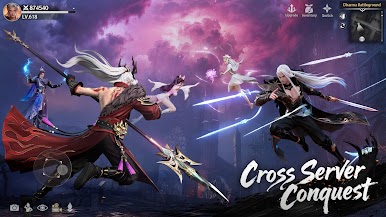
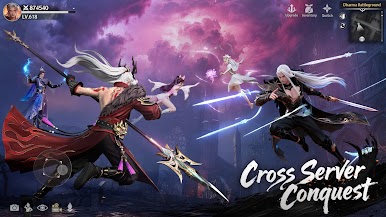
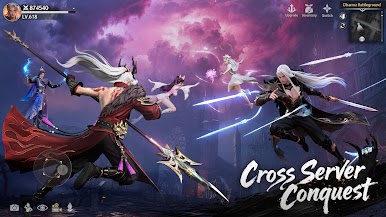
Eternal Sword Pact puts you in a mystical world that requires your tactical brilliance and battle skills to survive. The game allows you to interact with in-game characters and even find your soulmate to accompany you. It gives you access to multiple iconic weapons to destroy your enemies in battle.
Gameplay Overview
Your main quest in this game is to recover Xuanyuan’s memories and weapons. Getting them gives you the upper hand over your enemies, regardless of their schemes. Devise clever strategies to conquer the battlefield and unleash mysterious power to wipe out your enemies instantly.
Game Features
- Anime-themed graphics
- Gear trade system
- Intuitive user interface













Play Eternal Sword Pact on PC. It’s easy to get started.
-
Download and install BlueStacks on your PC
-
Complete Google sign-in to access the Play Store, or do it later
-
Look for Eternal Sword Pact in the search bar at the top right corner
-
Click to install Eternal Sword Pact from the search results
-
Complete Google sign-in (if you skipped step 2) to install Eternal Sword Pact
-
Click the Eternal Sword Pact icon on the home screen to start playing

