


World T20 League Cricket 2026
Play on PC with BlueStacks – the Android Gaming Platform, trusted by 500M+ gamers.

Page Modified on: Feb 22, 2026
Play World T20 League Cricket 2026 on PC
Designed for instant fun and long-term progression, the game lets you jump straight into matches or build your journey through structured competitions. Team-based multiplayer challenges, full league-style play, and time-limited match events ensure there’s always something new to play. You can choose from a broad selection of teams, unlock additional content through optional upgrades, and customize your experience to play without interruptions. Rewards like coins and tickets are earned through regular play or optional viewing, keeping the game free to download while offering flexibility for every type of player. Smooth controls and refined gameplay mechanics make this a cricket simulation that feels natural, responsive, and easy to enjoy.
World T20 League Cricket 2026 is made for players who want cricket that feels exciting, rewarding, and accessible. Every run scored and every wicket taken depends on skill and timing, creating moments that feel earned rather than scripted. Whether you enjoy short sessions or extended competitive runs, the game delivers tension, momentum, and replay value in every cricket match. Inspired by the passion of world cricket and the spirit of street cricket games and gully games street cricket game fun, this is a cricket experience that keeps pulling you back—easy to start, hard to put down, and built for true cricket fans. Download Now!
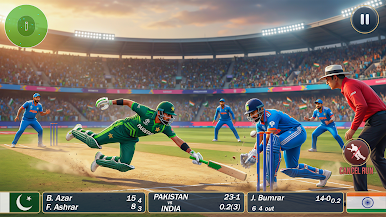
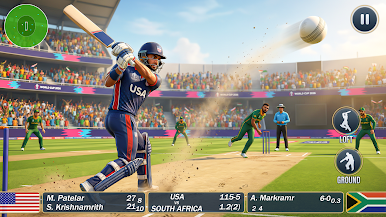
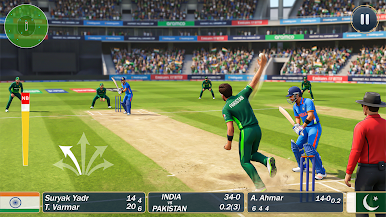
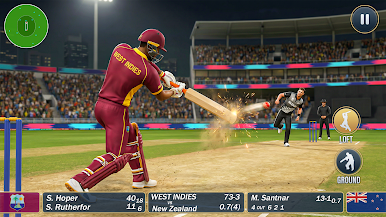
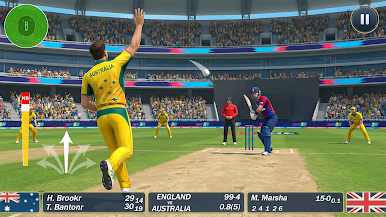
Play World T20 League Cricket 2026 on PC. It’s easy to get started.
-
Download and install BlueStacks on your PC
-
Complete Google sign-in to access the Play Store, or do it later
-
Look for World T20 League Cricket 2026 in the search bar at the top right corner
-
Click to install World T20 League Cricket 2026 from the search results
-
Complete Google sign-in (if you skipped step 2) to install World T20 League Cricket 2026
-
Click the World T20 League Cricket 2026 icon on the home screen to start playing

