


Legend of Mushroom
Play on PC with BlueStacks – the Android Gaming Platform, trusted by 500M+ gamers.

Page Modified on: Mar 5, 2026
Main Legend of Mushroom on PC
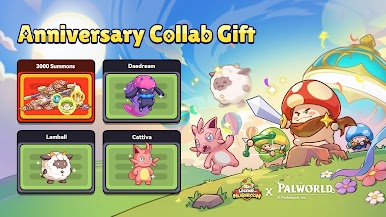
Legend of Mushroom x Palworld Collab Event Coming on March 7!
1.New Event - : New Costume, Artifact & Mount
2.14-Day Login Gifts: Get Cattiva&Lamball
3.New Palworld collab items and gamemode available for a limited time!
Over 30 million downloads worldwide! Legend of Mushroom is officially launched now! Start an unexpected RPG adventure with the little mushrooms!
Big adventure of a little mushroom! Role-playing with infinite levels!
One day, a lamp appeared amidst the chaos, shining on mushrooms and turning them into brave warriors. Since then, mushrooms have been embarking on adventures in search of more lamps and greater powers.
■ Cute Mushroom Characters!
A small mushroom embarks on a special adventure to become human!
■ Equipment Galore
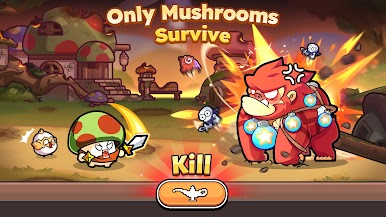
No more farming in battles. Just tap the Genie to get all kinds of equipment!
■ Choose Your Class!
Even a small mushroom can choose different Classes and become an elite adventurer!
■ Unique Designs
All kinds of creative mushroom designs! Customize your own mushroom!
■ Boss Challenge
Join an alliance. Even small mushrooms can defeat evil dragons!
■ Strongest Alliance
Fight alongside friends and compete with other alliances!
■ Build Your Own Garden!
Protect your garden, mine for minerals, and catch thieves!
Follow us on social media:
facebook.com/legendofmushroom
https://discord.gg/lom














Play Legend of Mushroom on PC. It’s easy to get started.
-
Download and install BlueStacks on your PC
-
Complete Google sign-in to access the Play Store, or do it later
-
Look for Legend of Mushroom in the search bar at the top right corner
-
Click to install Legend of Mushroom from the search results
-
Complete Google sign-in (if you skipped step 2) to install Legend of Mushroom
-
Click the Legend of Mushroom icon on the home screen to start playing

