


Simple Notepad
Play on PC with BlueStacks – the Android Gaming Platform, trusted by 500M+ gamers.

Page Modified on: Oct 13, 2025
Run Simple Notepad on PC or Mac
What’s better than using Simple Notepad by kinu026? Well, try it on a big screen, on your PC or Mac, with BlueStacks to see the difference.
About the App
Whether it’s jotting down a quick reminder or holding onto an important thought, Simple Notepad by kinu026 brings note-taking back to basics. The app’s all about making sure you can organize your ideas without any unnecessary fuss. Jump in, create a note whenever inspiration hits, and enjoy a smooth, distraction-free experience every time.
App Features
-
Quick Note Creation
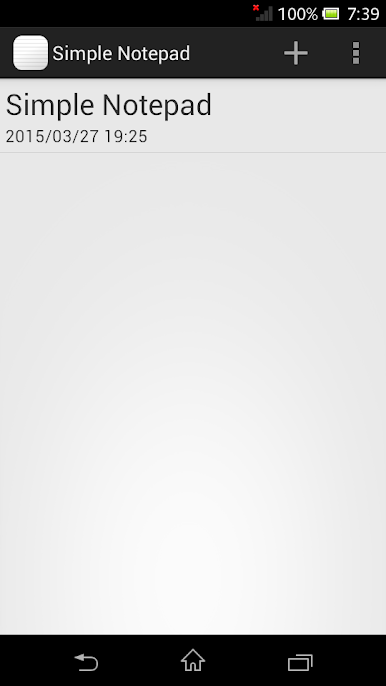
Just tap the icon’s top right corner and you’re ready to start a new note. It literally takes a second, so you’ll never miss an idea. -
Easy Deletion
Don’t need that old grocery list anymore? Just press and hold the note—gone! No complicated menus or extra steps. -
Effortless Sharing
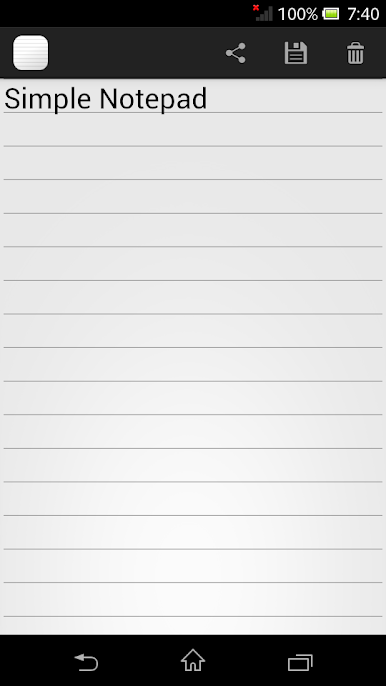
Need to pass your note on? You can send your content straight to other apps—whether you’re messaging a friend or saving it elsewhere. -
Customizable Editing
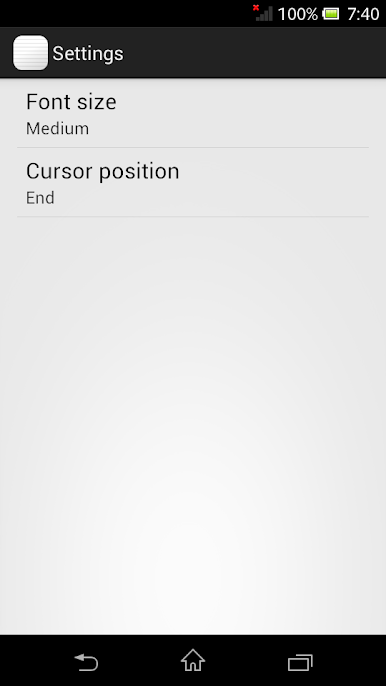
Head to the settings to make things comfortable for your eyes and hands. Change up the font size or tweak the cursor position in the editor so everything feels just right.
Simple Notepad keeps things simple, but gives you just enough freedom to make your note-taking personal. If you’d rather type from a keyboard, using Simple Notepad on BlueStacks is a breeze, too.
Ready to experience Simple Notepad on a bigger screen, in all its glory? Download BlueStacks now.
Play Simple Notepad on PC. It’s easy to get started.
-
Download and install BlueStacks on your PC
-
Complete Google sign-in to access the Play Store, or do it later
-
Look for Simple Notepad in the search bar at the top right corner
-
Click to install Simple Notepad from the search results
-
Complete Google sign-in (if you skipped step 2) to install Simple Notepad
-
Click the Simple Notepad icon on the home screen to start playing

