


Cherry Master 92
Play on PC with BlueStacks – the Android Gaming Platform, trusted by 500M+ gamers.

Page Modified on: Sep 28, 2026
Main Cherry Master 92 on PC
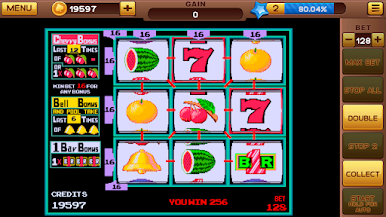
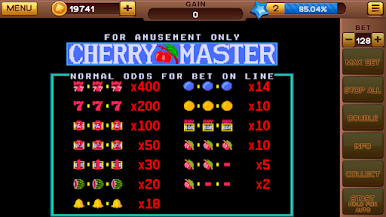
In this slot game you will have:
- Reel with 9 lines
- Free Spins (BAR)
- Option to stop individually for each reel
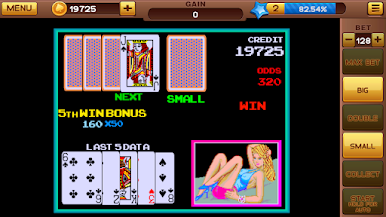
- Option to double the winnings
- Diamond bonus
- Bonus every 2 hours with a spin of the roulette
- Progressive Daily Bonus
- Maximum bet 80 credits
- Several fun prizes
We are constantly evolving and will soon have more news for you, so if you have any questions or improvements, please contact us by email.
IMPORTANT
• Recommended for adults (18+).
• This is a social casino game for entertainment only. It uses only virtual credits, which have no cash value and cannot be exchanged for money, prizes or any real-world goods. There is no real-money gambling and it is not possible to win real money.
• In-app purchases only give virtual credits, used to keep playing. They do not give money, prizes or any real-world goods.
• Practice or success at social casino gaming does not imply future success at real-money gambling.
Privacy policy: https://naxosgames.link/privacy_policy/termspolicy_pt.html
Data controller: Naxos Apps — naxosapps@gmail.com

Play Cherry Master 92 on PC. It’s easy to get started.
-
Download and install BlueStacks on your PC
-
Complete Google sign-in to access the Play Store, or do it later
-
Look for Cherry Master 92 in the search bar at the top right corner
-
Click to install Cherry Master 92 from the search results
-
Complete Google sign-in (if you skipped step 2) to install Cherry Master 92
-
Click the Cherry Master 92 icon on the home screen to start playing

