


Identity V
Play on PC with BlueStacks – the Android Gaming Platform, trusted by 500M+ gamers.

Page Modified on: Jan 19, 2026
Play Identity V on PC or Mac
Identity V brings the Role Playing genre to life, and throws up exciting challenges for gamers. Developed by NetEase Games, this Android game is best experienced on BlueStacks, the World’s #1 app player for PC and Mac users.
About the Game
Identity V is a tense, stylish cat-and-mouse thriller where paranoia is part of the fun. This Role Playing experience from NetEase Games throws five players into eerie arenas: one relentless Hunter and four nervous Survivors. Every chase, every fake-out, every close call builds a story you’ll be talking about after the match.
Game Features
-
Asymmetrical 1v4 Showdowns: One player hunts. Four players scramble to survive. Survivors complete risky objectives and rescue teammates while the Hunter tracks, ambushes, and controls the map.
-
Play Both Sides: Swap roles whenever you like. Master the Hunter’s tools and tricks, or learn the Survivor mind games—jukes, distractions, and clutch saves.
-
Distinct Characters: Build your style with a growing roster of Hunters and Survivors. Each brings unique abilities and traits, plus loadout choices that shape your strategy.
-
Shifting Maps Each Match: No two rounds feel the same. Layout tweaks, item spawns, and environmental details change, forcing you to adapt on the fly.
-
A Mystery at the Manor: Step in as a detective following a strange letter to an abandoned estate and a missing person case. Unravel fragments of truth through scenes, notes, and unreliable memories.
-
Moody, Gothic Vibe: A grim, storybook look sets the tone—stark silhouettes, creaking corridors, and theatrical animation that makes every chase feel like a set piece.
-
Teamwork and Mind Games: Survivors coordinate rescues and repairs under pressure. Hunters outthink opponents with traps, timing, and map knowledge. It’s not just speed—it’s psychology.
-
Smooth on PC with BlueStacks: Prefer a bigger screen and keyboard controls? You can play Identity V on your PC using BlueStacks without changing how the game feels.
Slay your opponents with your epic moves. Play it your way on BlueStacks and dominate the battlefield.




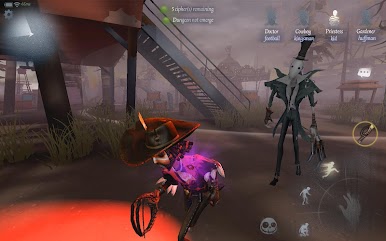

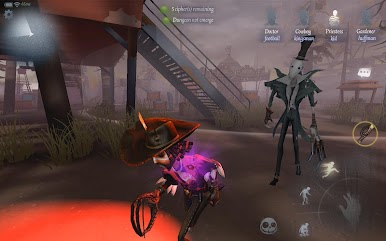
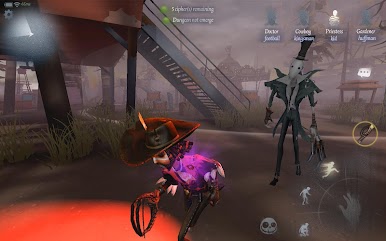

Play Identity V on PC. It’s easy to get started.
-
Download and install BlueStacks on your PC
-
Complete Google sign-in to access the Play Store, or do it later
-
Look for Identity V in the search bar at the top right corner
-
Click to install Identity V from the search results
-
Complete Google sign-in (if you skipped step 2) to install Identity V
-
Click the Identity V icon on the home screen to start playing

