


Blood Strike: 2nd Anniversary
Play on PC with BlueStacks – the Android Gaming Platform, trusted by 500M+ gamers.

Page Modified on: Mar 20, 2026
Main Blood Strike: 2nd Anniversary on PC
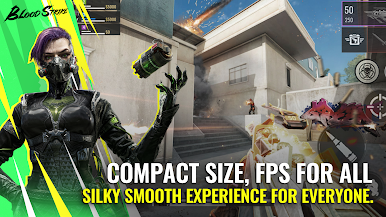
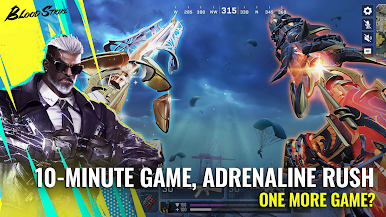
Blood Strike is a battle royale game available on multiple platforms. With its fast-paced matches, smooth optimization and characters with distinctive abilities, the game has won the hearts of nearly 100 million players globally.
Join the players worldwide in redefining tactical combat NOW!
【Well optimized, Any Device】
Silky controls meet HD visuals! Master mobile-native moves like recoil control and slide-shoot combos. Feel next-gen precision on any device – victory flows through your fingertips! Your skills, not specs, define victory.
【No fixed roles, Every Player is the Carry】
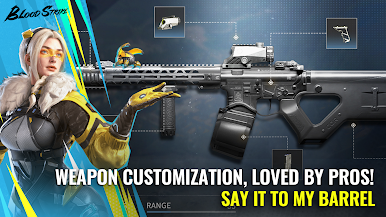
Build your dream squad! Switch between more than 15 Strikers, customize 30+ weapon and remix them (Dual UZI? Yes!). Squad up and rewrite battle royale rules!
【4 CORE MODES, INFINITE THRILLS】
Enjoy our thrilled Battle Royale, Squad Fight, Hot Zone or Weapon Master modes and limited time ones. Infinite respawn until the last minutes. No camping, just heart-pounding gunfights. Your highlight reel starts NOW!
Download now and drop into the arena!
__________________________________________________________________________________________________________________
Follow Us
X:https://twitter.com/bloodstrike_EN
Facebook:https://www.facebook.com/OfficialBloodStrikeNetEase
Instagram:https://www.instagram.com/bloodstrike_official/
TikTok:https://www.tiktok.com/@bloodstrikeofficial
YouTube:https://www.youtube.com/@bloodstrike_official
Join our Discord server:
https://discord.gg/bloodstrike



Play Blood Strike: 2nd Anniversary on PC. It’s easy to get started.
-
Download and install BlueStacks on your PC
-
Complete Google sign-in to access the Play Store, or do it later
-
Look for Blood Strike: 2nd Anniversary in the search bar at the top right corner
-
Click to install Blood Strike: 2nd Anniversary from the search results
-
Complete Google sign-in (if you skipped step 2) to install Blood Strike: 2nd Anniversary
-
Click the Blood Strike: 2nd Anniversary icon on the home screen to start playing

