


Seek Paint: Hide and Seek
Play on PC with BlueStacks – the Android Gaming Platform, trusted by 500M+ gamers.

Page Modified on: Aug 7, 2026
Main Seek Paint: Hide and Seek on PC
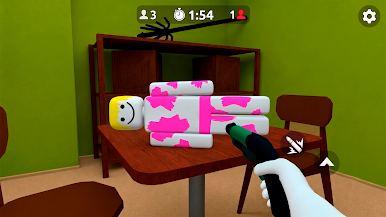
Each hide n seek game introduces a new room layout, different objects, and trickier hiding spots. As the hide n seek games progress, hidden targets become more difficult to recognize and every hide and seek challenge requires closer inspection. A successful hide and seek run depends on spotting unusual shapes, following visual clues, and using the hide and seek paint mechanic without overlooking parts of the room.
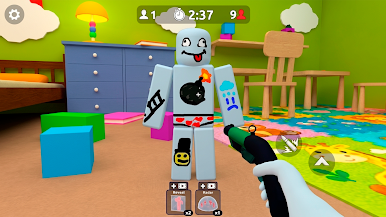
The game focuses on searching and revealing hidden players rather than switching between hider and seeker roles. Different environments and object arrangements give each round a new search pattern while keeping the controls and main goal easy to understand.
Features:
• First-person gameplay focused on the seeker role
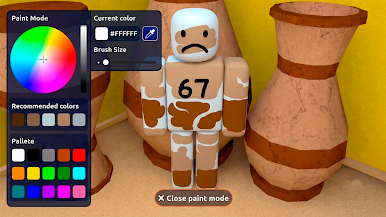
• Paint tools that reveal disguised players
• Detailed rooms filled with furniture and interactive surfaces
• New hiding spots and object arrangements across stages
• Observation-based hide and seek games with short repeatable rounds
• Simple controls focused on searching, aiming, and painting

Play Seek Paint: Hide and Seek on PC. It’s easy to get started.
-
Download and install BlueStacks on your PC
-
Complete Google sign-in to access the Play Store, or do it later
-
Look for Seek Paint: Hide and Seek in the search bar at the top right corner
-
Click to install Seek Paint: Hide and Seek from the search results
-
Complete Google sign-in (if you skipped step 2) to install Seek Paint: Hide and Seek
-
Click the Seek Paint: Hide and Seek icon on the home screen to start playing

