


MapleStory : Idle RPG
Play on PC with BlueStacks – the Android Gaming Platform, trusted by 500M+ gamers.

Page Modified on: Mar 24, 2026
Play MapleStory : Idle RPG on PC or Mac
MapleStory : Idle RPG is a Casual game developed by NEXON Company. BlueStacks app player is the best platform to play this Android game on your PC or Mac for an immersive gaming experience.
Begin your Maple adventure and keep levelling up to claim exclusive rewards in MapleStory : Idle RPG. Gather your own companions and ensure the battle goes your way. It doesn’t matter whether you’re online, offline, or even at work, your character keeps growing and getting stronger.
About the Game
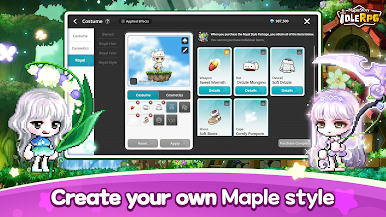
MapleStory : Idle RPG puts you in an exciting world where your character does all the work. It features cute, stylish outfits you can use to customize your character’s appearance and stand out. The game also lets you participate in PvP battles against several other players online.
What’s New?
A new event mode called Guild Boss Battle has been introduced, along with the addition of a new system named Mannequin. Furthermore, new events have been added, enriching the user experience.
Gameplay Overview
As you explore this world, you need to have a reliable companion who can go with you into battle. These companions are designed to shape your battle style and even give you an edge over your opponents. You also need to devise smart tactics to conquer dungeons and prove you’re the best.
Game Features
- PvP arena of intense clashes
- Numerous growth dungeons
- Auto battle mode
- Customizable characters
How to Play?
Download MapleStory : Idle RPG for free from the Google Play Store using the BlueStacks app player.







Play MapleStory : Idle RPG on PC. It’s easy to get started.
-
Download and install BlueStacks on your PC
-
Complete Google sign-in to access the Play Store, or do it later
-
Look for MapleStory : Idle RPG in the search bar at the top right corner
-
Click to install MapleStory : Idle RPG from the search results
-
Complete Google sign-in (if you skipped step 2) to install MapleStory : Idle RPG
-
Click the MapleStory : Idle RPG icon on the home screen to start playing

