


MapleStory : Idle RPG
Play on PC with BlueStacks – the Android Gaming Platform, trusted by 500M+ gamers.

Page Modified on: Jan 30, 2026
Main MapleStory : Idle RPG on PC
Keep leveling up—even when you're idle! Start your Maple adventure now!
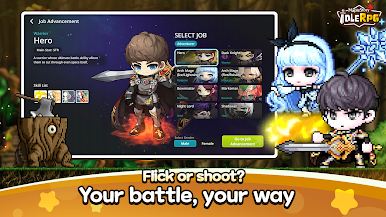
▶ Auto Battle & Auto Growth
Your character never stops getting stronger, no matter where you are—school, work, or bed!
Sit back, relax, and enjoy the game.
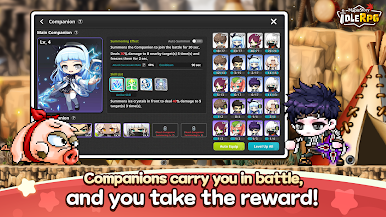
▶ Reliable Companion System
No more battling alone.
Gather diverse Companions and shape your own battle style.
▶ Various Growth Dungeons
Simpler, more fun than ever!
Learn the boss's patterns and clear the dungeon.
▶ PVP Arena of Intense Clashes
Prove your strength!
Claim victory in the ultimate battlefield of champions.
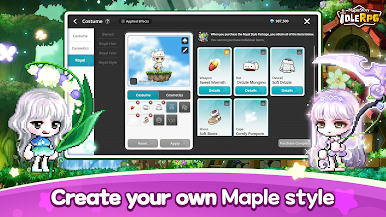
▶ Cute Styling Items
Stand out with adorable and unique outfits.
■ App Permission Information
In order to provide services below, we are requesting certain permissions.
[Optional Permission]
Camera: To capture photos or record videos for attaching and submitting to Customer Support or other relevant entities
Storage: To save game execution files, videos, and upload photos and videos
Notifications: To allow notifications regarding app services
※ Granting or denying Optional Permissions does not affect gameplay.
[Permission Management]
▶ Android 6.0 or higher - Go to Settings > Applications, select the app and toggle permissions
※ The app may not ask for individual permissions, in which case you can allow or block them manually following the steps explained above.




Play MapleStory : Idle RPG on PC. It’s easy to get started.
-
Download and install BlueStacks on your PC
-
Complete Google sign-in to access the Play Store, or do it later
-
Look for MapleStory : Idle RPG in the search bar at the top right corner
-
Click to install MapleStory : Idle RPG from the search results
-
Complete Google sign-in (if you skipped step 2) to install MapleStory : Idle RPG
-
Click the MapleStory : Idle RPG icon on the home screen to start playing

