


Perfect Player IPTV
Play on PC with BlueStacks – the Android Gaming Platform, trusted by 500M+ gamers.

Page Modified on: Mar 14, 2026
Overview
The app doesn't contain any channels, you need to add Playlists in Settings for this.
Note: To get the best playback experience try different Decoder options in Settings.
Features:
- Nice OSD menus and infos for easy and pleasant watching videos with minimum user actions
- Scaleable OSD renders correctly with any screen resolution and selected font size
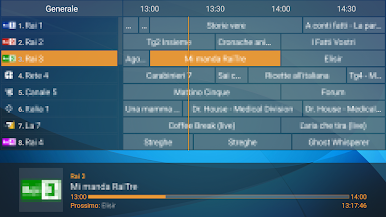
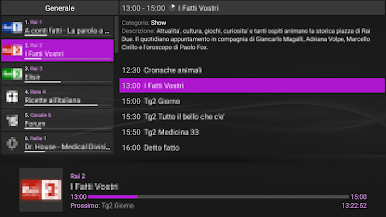
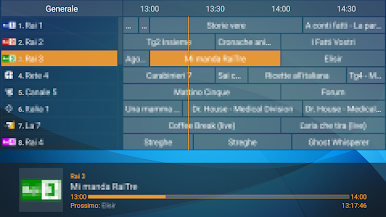
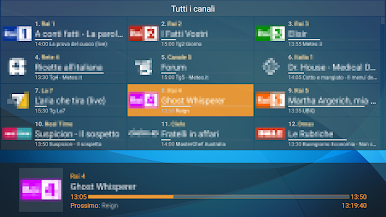
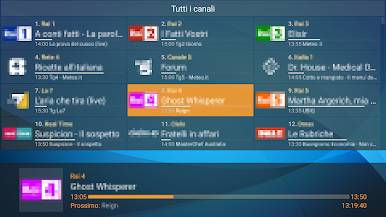
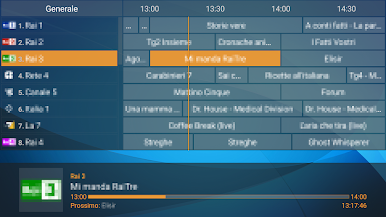
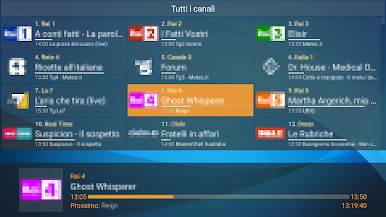
- IPTV watching with channels groups, logos and EPG
- Local files watching (from SDCard, USB, etc)
- Supported playlist formats: M3U, XSPF
- Supported EPG formats: XMLTV, JTV
- udpxy (UDP-TO-HTTP proxy) server support
- Can connect to IPTV data server (Perfect Player's PC version) to fetch playlist, EPG, logos and the ability to request playlist update right away by specifying only IPTV data server address in Settings
- Can be controlled by remote control, mouse, keyboard, etc
- Supports Perfect Cast IPTV - remote control app designed exclusively for Perfect Player
- Big controls panel is useful on devices with small screen size (toggle the panel with the two fingers touch)
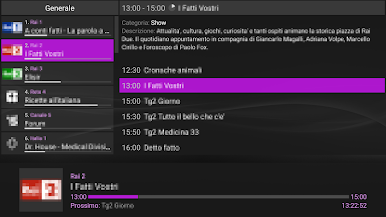
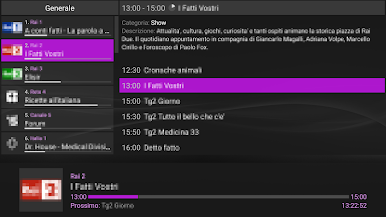
- Extended EPG info viewing
- "Full version" removes Ads and adds extra features
Play Perfect Player IPTV on PC. It’s easy to get started.
-
Download and install BlueStacks on your PC
-
Complete Google sign-in to access the Play Store, or do it later
-
Look for Perfect Player IPTV in the search bar at the top right corner
-
Click to install Perfect Player IPTV from the search results
-
Complete Google sign-in (if you skipped step 2) to install Perfect Player IPTV
-
Click the Perfect Player IPTV icon on the home screen to start playing

