


MonsterCry Eternal - Card Battle RPG
Play on PC with BlueStacks – the Android Gaming Platform, trusted by 500M+ gamers.

Page Modified on: Dec 09, 2025
Overview
Begins Epic Adventure and Ultimate Battles!
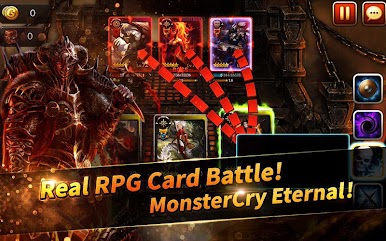
MonsterCry Eternal is a new type of game that combines card battle and RPG.
Collect cards, build decks with different strategies and evolve your cards!
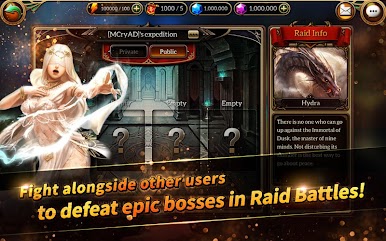
Enjoy intense battles with global adventurers from all over the world through real-time PVP, Boss Raids and more!
■■■ UPDATE NEWS ■■■
• Underground Lab [Research Note] added.
• 2 New SSS+ cards added.
• Improvements and bugfixes.
Enjoy MonsterCry Eternal in a more comfortable environment!
Intense battle, immersion of growth, and excitement of strategy!
We invite you to the world of Monster Cry Eternal!
Check out our Facebook page!
https://www.facebook.com/OfficialMonsterCry/
*******************************************************************************
[KEY FEATURES]
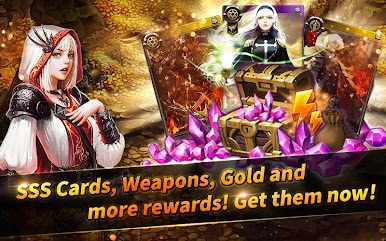
★ STUNNING ILLUSTRATIONS
More than 300 fabulous and breathtaking souls!
Every card has their own unique skills. Make them your own!
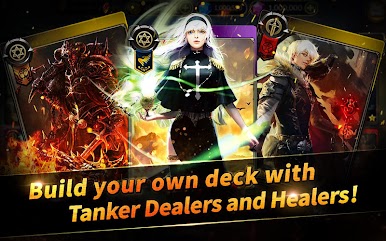
★ BUILD YOUR STRATEGY, BUILD YOUR DECK
Assemble your own deck using hundreds of unique and fantastic cards with various kinds of races, classes, and skills into your own strategy.
Rule the battle with your own tactics!
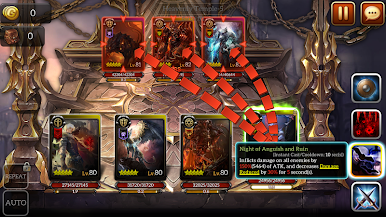
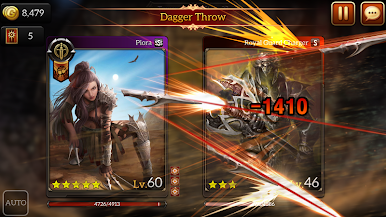
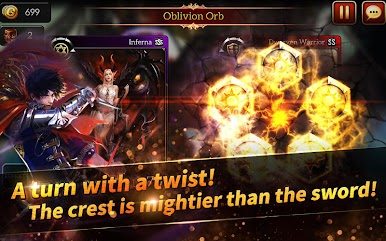
★ Real Time BATTLE SYSTEM
Dominate the time! Experience the thrill of battle with split second decisions that wins or loses the game.
More depth to your strategy with each card's active time gauge!
Be smart and claim victory!
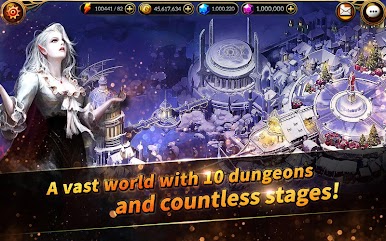
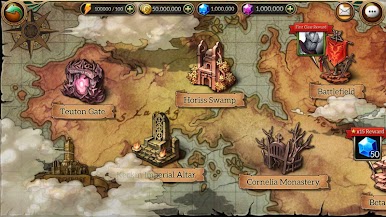
★ WORLD OF ADVENTURE
Greed and corruption always put the world into chaos...
Who will save this world?
Dozens of dungeons and hundreds of stages within an intriguing tale of adventure!
What kind of adventurer are you going to be?
Finish the battle before the time runs out!
Do not miss your turn!
[About Request permissions to access]
When you use the app, you are requesting permissions to access for provide the following services.
1. Essential access permissions
▶ Storage: Used to save downloaded game resources and game config(setting) files
▶ Audio record: Used for video recording function of PLUG (community)
[How to withdraw access permissions]
▶ Android 6.0 or higher: Go to Settings> Apps> Select Permission> Select Permission to Approve or Revoke Access Permission
▶ Under Android 6.0: Upgrade your OS ver. to revoke access or remove apps
* Your app may not offer individual access permissions, and you can revoke access in the same way.
• Items are available for purchase in this game. Some paid items may not be refundable depending on the type of item.
• Terms of Service : http://mcedl.nyouinc.com/download/legal/service_us.html
• Privacy Policy : http://mcedl.nyouinc.com/download/legal/privacy_us.html
• For questions or customer support, please send your inquiry through
the in-game Customer Support or Facebook Messenger( https://www.facebook.com/OfficialMonsterCry/ ).


Play MonsterCry Eternal - Card Battle RPG on PC. It’s easy to get started.
-
Download and install BlueStacks on your PC
-
Complete Google sign-in to access the Play Store, or do it later
-
Look for MonsterCry Eternal - Card Battle RPG in the search bar at the top right corner
-
Click to install MonsterCry Eternal - Card Battle RPG from the search results
-
Complete Google sign-in (if you skipped step 2) to install MonsterCry Eternal - Card Battle RPG
-
Click the MonsterCry Eternal - Card Battle RPG icon on the home screen to start playing

