


Goal Clash
Play on PC with BlueStacks – the Android Gaming Platform, trusted by 500M+ gamers.

Page Modified on: Mar 13, 2026
Play Goal Clash on PC
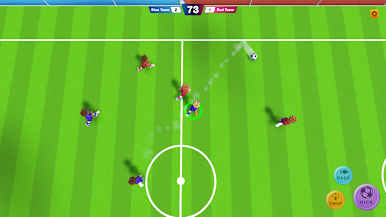
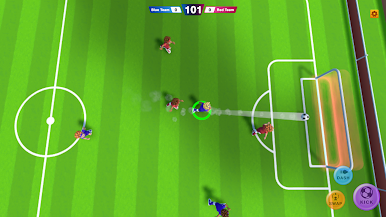
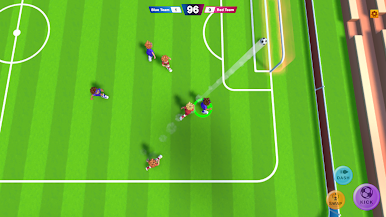
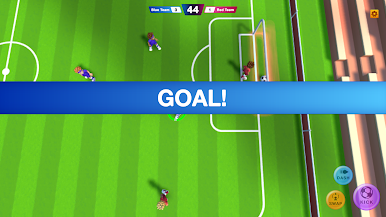
Forget complicated buttons. Our smart control system assists your dribbling and shooting, so you can focus on strategy and scoring amazing goals. Whether it's a 1v1 duel or a chaotic 3v3 battle, every match is packed with fun.
1v1, 2v2 and 3v3 modes
Start your career in simple duels and progress to team battles. Face off against AI opponents in dynamic matches where reflexes and stats matter.
Upgrade your player
Winning matches is not enough – you need the right gear! Collect cards to unlock and upgrade specific items that boost your stats:
Hats: Increase your Power (Shoot harder!)
Shirts: Boost your Agility (Move faster!)
Shoes: Improve your Stamina (Sprint longer!)
Play the leagues
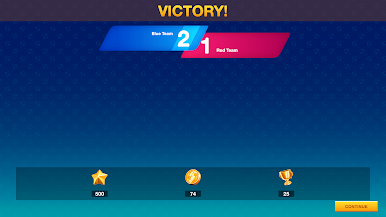
Advance through different Leagues! Each victory brings you closer to the top. Can you collect all the trophies and become the champion of the highest division?
Key features:
- Easy One-Finger Control: Move, sprint, and shoot with a simple joystick.
- Smart Gameplay: Assisted ball control makes you feel like a pro.
- Progression: Collect Hats, Shirts, and Shoes to build your stats.
- Various Formats: Play 1v1, 2v2, or 3v3 matches.
- Career Mode: Climb from Rookie to Pro in the League system.
Put on your kit, upgrade your stats, and score the winning goal!
Play Goal Clash on PC. It’s easy to get started.
-
Download and install BlueStacks on your PC
-
Complete Google sign-in to access the Play Store, or do it later
-
Look for Goal Clash in the search bar at the top right corner
-
Click to install Goal Clash from the search results
-
Complete Google sign-in (if you skipped step 2) to install Goal Clash
-
Click the Goal Clash icon on the home screen to start playing

