


Surfy Browser: text-to-speech
Play on PC with BlueStacks – the Android Gaming Platform, trusted by 500M+ gamers.

Page Modified on: Oct 30, 2025
Run Surfy Browser - Best UI, AdBlock, Text-to-Speech on PC or Mac
Upgrade your experience. Try Surfy Browser – Best UI, AdBlock, Text-to-Speech, the fantastic Communication app from Outcoder, from the comfort of your laptop, PC, or Mac, only on BlueStacks.
About the App
Surfy Browser – Best UI, AdBlock, Text-to-Speech is a fresh twist on web browsing, taking your mobile internet experience to the next level. Whether you’re all about privacy, love customizing your space, or just want a smooth, clutter-free way to surf, Surfy Browser’s got it handled. Expect a mix of smart tools and a slick, user-friendly design—so you can browse just the way you like, with no fuss.
App Features
-
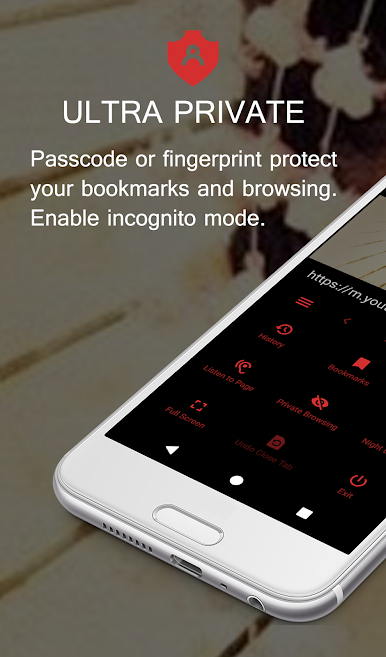
Lock It Down
Worried about snoops? Set up a passcode or take advantage of fingerprint protection to keep your browser—or even specific bookmarks—under wraps. -
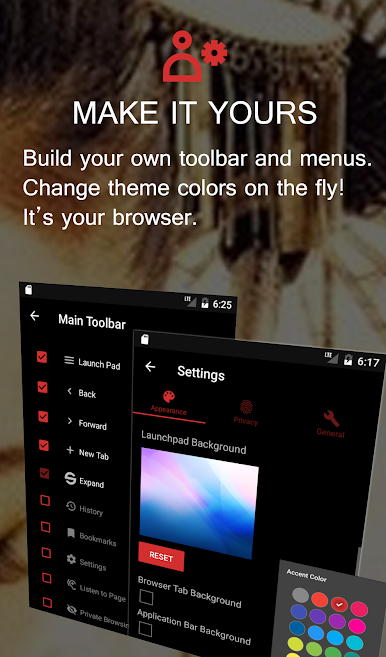
Make It Yours
Instantly switch up the look with bold colors, or slap your favorite photo onto the background. Build your own toolbars and tweak menus until everything feels just right. -
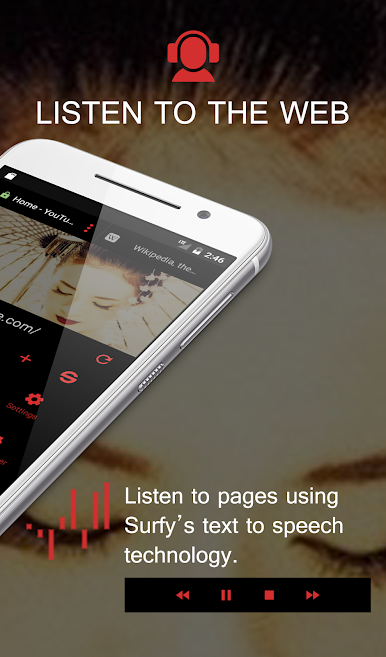
Read or Listen, Your Choice
Want to listen to articles while doing chores? Let Surfy Browser read web pages out loud to you, hands-free. -
Full-Screen & Swipe-Friendly
Get rid of distractions with immersive full-screen mode, and switch between swipeable tabs in a snap. -
Private Browsing & Data Saver
Browse in incognito mode right from the start. Surfy helps cut your data usage, and you can clear cookies, cache, and history anytime you want. -
Stay Ad-Free & Track-Free
Integrated ad blocker keeps your web pages clean and speedy. Plus, tracker prevention stops sites from following you around. -
Quick Search & Smart Navigation
Search from the address bar, pin pages to a Launchpad, or switch between providers like Google, Bing, and DuckDuckGo on the fly. -
Password and Login Manager
Store your logins securely and enjoy seamless access across your favorite sites. -
Versatile Modes for Every Occasion
Switch between mobile or full desktop view, dim the screen at night, and share pages with friends via social platforms or NFC. -
Handy Extras
Find on-page text, save images, open links from the context menu, and manage your bookmarks and browsing history with ease.
Want to use Surfy Browser on a bigger screen? It works smoothly with BlueStacks, too.
BlueStacks brings your apps to life on a bigger screen—seamless and straightforward.

Play Surfy Browser: text-to-speech on PC. It’s easy to get started.
-
Download and install BlueStacks on your PC
-
Complete Google sign-in to access the Play Store, or do it later
-
Look for Surfy Browser: text-to-speech in the search bar at the top right corner
-
Click to install Surfy Browser: text-to-speech from the search results
-
Complete Google sign-in (if you skipped step 2) to install Surfy Browser: text-to-speech
-
Click the Surfy Browser: text-to-speech icon on the home screen to start playing

