


Casinonia Slots - Win Big Now!
Play on PC with BlueStacks – the Android Gaming Platform, trusted by 500M+ gamers.

Page Modified on: Feb 12, 2026
Play Casinonia Slots - Win Big Now! on PC
Install now to enjoy the ultimate social casino games and join Exclusive Events as a Royal VIP! 👑
🎉 GET MASSIVE REWARDS 🎉
💜 70+ Slot Games: Spin to win BIG rewards today!
💛 Not Just Slots: Pinata Smash fills your screen with color and action.
💜 Battle Mega Shark: Dive into thrilling fishing adventures!
💛 Daily Huge Wins: Big jackpots waiting for you every day!
💜 Unlock CLUB Benefits: Enjoy exclusive perks and bonuses!
💛 Collect Royal Points: Score VIP rewards and join the Royal Club!
💜 Complete Missions: Earn Medals and level up for rewards!
🤘 LET'S CONNECT 🤘
Follow us below:
• Facebook: Casinonia Slots
• Instagram: @casinoniaslots
• X: @casinoniaslots
• YouTube: @casinoniaslots
🔔NOTE🔔
• CASINONIA does not offer real-money gambling, criminal, and similar activities. For entertainment purposes only.
• The games are intended for an adult audience. IGRS rating 18+. You must be aged 21 or above to access CASINONIA.
• CASINONIA offers in-game stores where players can purchase game coins exchanged through extra payment. Once the game coins have been exchanged, no refunds are available for any reason.





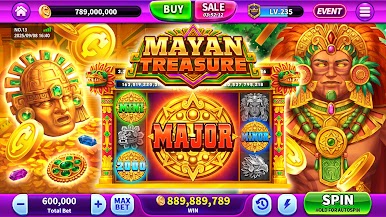

















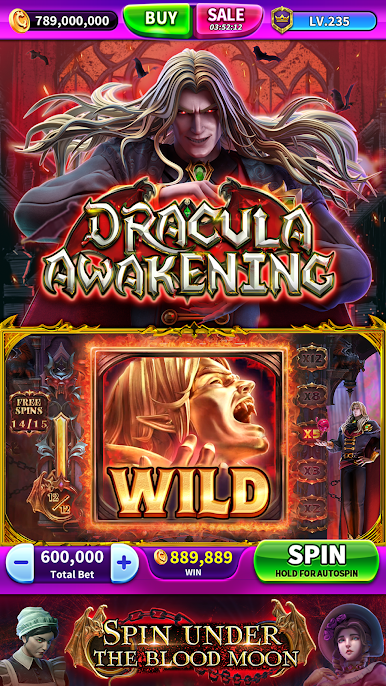

Play Casinonia Slots - Win Big Now! on PC. It’s easy to get started.
-
Download and install BlueStacks on your PC
-
Complete Google sign-in to access the Play Store, or do it later
-
Look for Casinonia Slots - Win Big Now! in the search bar at the top right corner
-
Click to install Casinonia Slots - Win Big Now! from the search results
-
Complete Google sign-in (if you skipped step 2) to install Casinonia Slots - Win Big Now!
-
Click the Casinonia Slots - Win Big Now! icon on the home screen to start playing

