


Solar Smash
Play on PC with BlueStacks – the Android Gaming Platform, trusted by 500M+ gamers.

Page Modified on: Jul 28, 2026
Play Solar Smash on PC or Mac
Bring your A-game to Solar Smash, the Simulation game sensation from Paradyme Games. Give your gameplay the much-needed boost with precise game controls, high FPS graphics, and top-tier features on your PC or Mac with BlueStacks.
About the Game
Solar Smash is a mischievous, oddly soothing Simulation from Paradyme Games that asks a simple question: what if you could play with the universe like a sandbox? Build serene star systems one minute, then unleash absolute chaos the next. It’s equal parts science experiment and cosmic stress relief, with jaw-dropping reactions every time you press a big red button.
Game Features
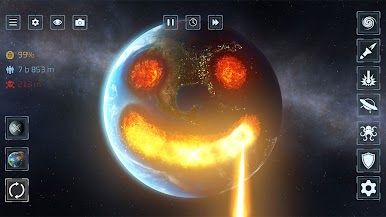
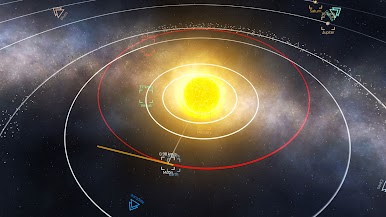
- Two Modes, Two Moods: Hop into Planet Smash when you just want to blast a single world to pieces, or switch to Solar System Smash to tinker with full star systems—our own included—and watch gravity do its thing.
- A Ridiculous Arsenal: Lasers, meteors, nukes, antimatter missiles, UFOs, railguns, orbital ion cannons, supernovas, laser swords, giant monsters, celestial beings—you’ve got a deep bench. Defensive toys like shields and satellites let you play protector, too.
- Build It, Break It, Repeat: Create custom systems, add planets, and set their orbits. Trigger collisions, drop a black hole in the middle, or nudge a moon just enough to knock everything out of alignment.
- Physics With Bite: Orbits shift, tides snap, and debris flies in believable ways thanks to gravity-driven simulations. Tiny tweaks can spiral into spectacular outcomes.
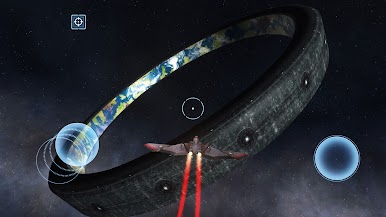
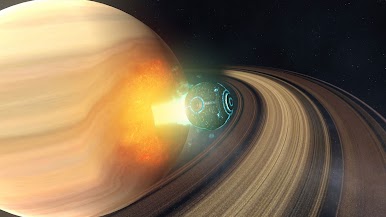
- Big Sci‑Fi Playground: Explore familiar solar neighborhoods or wild setups with ring worlds, artificial megastructures, and giant moons wrapped in planet-sized force fields.
- Pick Up and Play: Controls are straightforward, so you can go from idea to explosion in seconds—no manual required.
- Creative or Chaotic: Build something beautiful, then tear it down, or don’t. It’s your universe, your rules.
- PC-Friendly Option: Prefer a larger view and smooth controls? Solar Smash also plays nicely on PC with BlueStacks.
- Heads-Up for Sensitive Players: Some effects use flashing lights and intense visuals. Use caution if you’re photosensitive.
Start your journey now. Download the game on BlueStacks, invite your friends, and march on a new adventure.





Play Solar Smash on PC. It’s easy to get started.
-
Download and install BlueStacks on your PC
-
Complete Google sign-in to access the Play Store, or do it later
-
Look for Solar Smash in the search bar at the top right corner
-
Click to install Solar Smash from the search results
-
Complete Google sign-in (if you skipped step 2) to install Solar Smash
-
Click the Solar Smash icon on the home screen to start playing

