


Basketball Game Stars Showdown
Play on PC with BlueStacks – the Android Gaming Platform, trusted by 500M+ gamers.

Page Modified on: Apr 30, 2026
Play Basketball Game Stars Showdown on PC or Mac
Basketball Game Stars Showdown by Petdragon Inc has plenty to keep you busy. BlueStacks lets you play it on PC or Mac with more screen space, better control, and fewer mobile limits.
About the Game
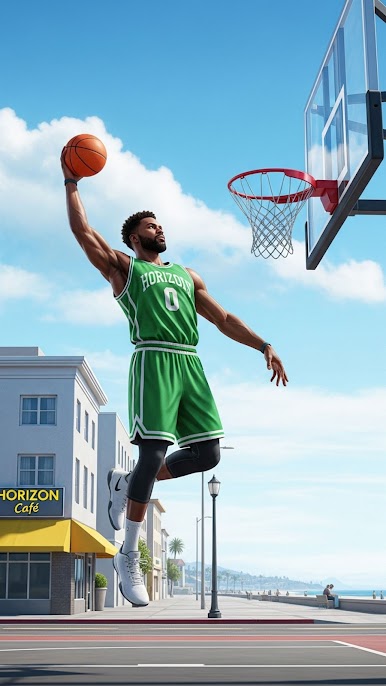
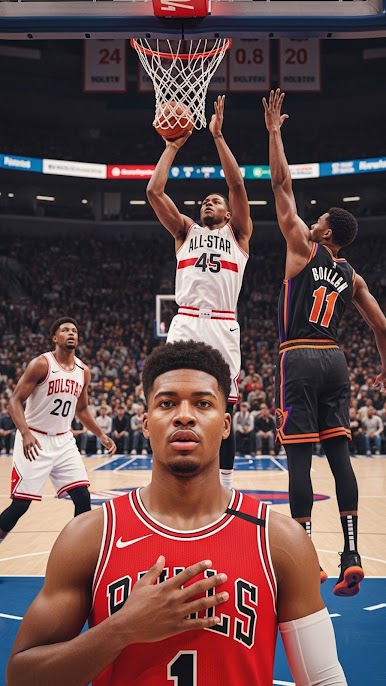
Basketball Game Stars Showdown is all about quick handles, clean shots, and smart team play. It drops you right into fast, competitive matchups where timing and decisions matter more than luck. Whether you’re chasing ankle-breakers in a tight 1v1 or coordinating passes in 3v3, it’s built for players who love crisp controls and a real sense of momentum. Prefer a bigger screen? It also feels right at home on BlueStacks.
Game Features
- Head-to-head and squad play: Jump into tense 1v1 duels or hit the court with 3v3 runs where chemistry, spacing, and smart rotations win games.
- Live competition: Queue up against real players, climb competitive tiers, and test your skills in matches that reward quick reads and cool nerves.
- Skill-first controls: String together crossovers, step-backs, fakes, and pull-ups with responsive inputs. Well-timed steals and blocks actually swing possessions.
- Authentic on-court feel: Smooth animations and grounded physics make drives, rebounds, and put-backs feel satisfying—not floaty or canned.
- Courts with personality: Play on gritty blacktops and bright pro-style arenas, each with a distinct vibe that keeps matches feeling fresh.
- Make your baller yours: Create a standout player, unlock outfits, sneakers, custom balls, and performance boosts to shape your look and playstyle.
- Modes for every mood: Jump into quick matches, try focused skill challenges, enter tournaments, or work through a career path that tracks your rise.
- Built for Sports fans: Easy to pick up and tough to master, with a competitive edge that rewards practice.
- Play your way: Great on mobile for quick sessions, and also smooth on BlueStacks if you want sharper visuals and different control options.
- Free-to-play friendly: Hop in without the pressure—play casually or grind the ranks when you’ve got time.
BlueStacks gives you more room to focus on the game and less time adjusting around mobile limitations.


Play Basketball Game Stars Showdown on PC. It’s easy to get started.
-
Download and install BlueStacks on your PC
-
Complete Google sign-in to access the Play Store, or do it later
-
Look for Basketball Game Stars Showdown in the search bar at the top right corner
-
Click to install Basketball Game Stars Showdown from the search results
-
Complete Google sign-in (if you skipped step 2) to install Basketball Game Stars Showdown
-
Click the Basketball Game Stars Showdown icon on the home screen to start playing

