


Mini PDF Reader
Play on PC with BlueStacks – the Android Gaming Platform, trusted by 500M+ gamers.

Page Modified on: Sep 8, 2026
Play Mini PDF Reader on PC
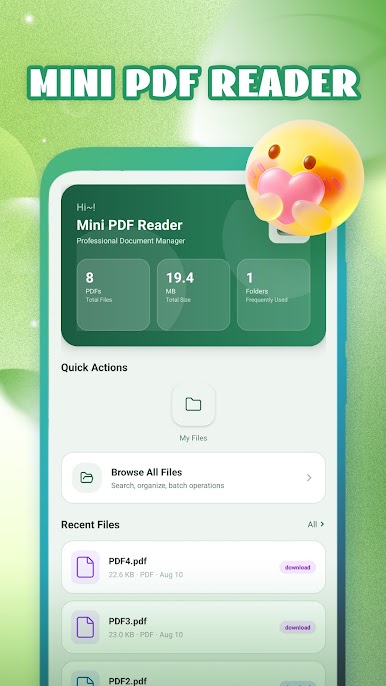
It features a small‑size installation package and works completely offline. You can read local PDF files without an internet connection.
Lightweight & Rapid
Load large‑size PDF documents seamlessly, no registration or login required
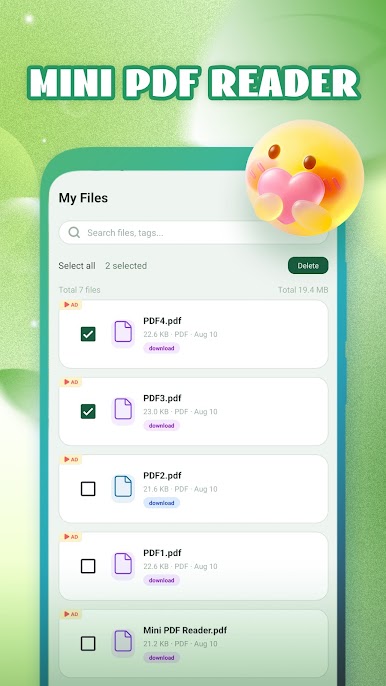
PDF File Management
Automatically scan all PDF documents stored on your phone
Quick Document Search
Search files by keyword and file name
Ideal for students and professionals to read e‑books, reports, contracts and more.
Download Mini PDF Reader now for a simple and reliable PDF reading experience.
Play Mini PDF Reader on PC. It’s easy to get started.
-
Download and install BlueStacks on your PC
-
Complete Google sign-in to access the Play Store, or do it later
-
Look for Mini PDF Reader in the search bar at the top right corner
-
Click to install Mini PDF Reader from the search results
-
Complete Google sign-in (if you skipped step 2) to install Mini PDF Reader
-
Click the Mini PDF Reader icon on the home screen to start playing

