


R5
Play on PC with BlueStacks – the Android Gaming Platform, trusted by 500M+ gamers.

Page Modified on: May 11, 2021
Overview
◈ 12 CLASS X Raid 5 ◈
New Expedition Extreme Raid!
For more information, please check the official cafe below.
▶Official cafe address: https://cafe.naver.com/r5rpg
▶Game Introduction◀
A combination that did not exist in the world of humans and vampires!
Experience the unique and new world of “R5”!
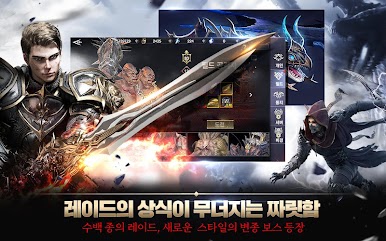
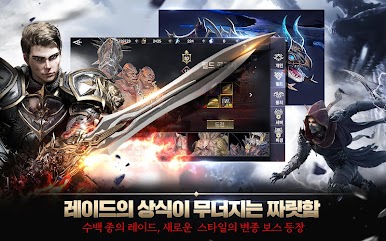
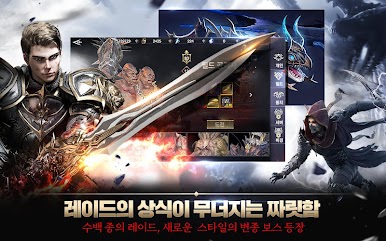
┗ Boss Raid ┓
A new style variant boss appeared!
Attack large boss raids of 12 class combinations!
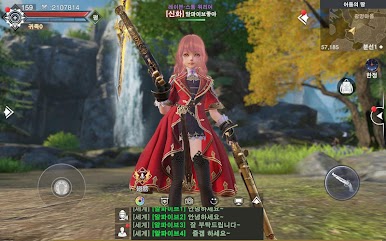
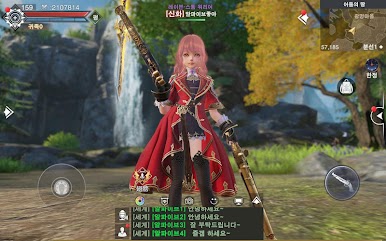
┗ Customization ┓
Sophisticated and delicate custom such as aegyo meat, cheekbones, and both jaws!
Adventure the world with your own unique avatar!
┗ Player Kill ┓
PK content full of diversity, such as server battles and power battles!
Enjoy the thrill of fierce Human Raid!
┗ Society ┓
A new society to experience as my avatar in the “R5” world!
Make new connections through your avatar!
▶Official community ◀
Official Cafe: https://cafe.naver.com/r5rpg
Website: http://r5.uzgames.com
Facebook: https://www.facebook.com/r5rpg/
Customer Center: R5@yoozoo.com
▶Information on smartphone app access rights ◀
When using the app, we are requesting access to provide the following services.
┗ Required access rights ┓
does not exist
┗ Optional access rights ┓
Microphone: Used when using the real-time voice chat function in the app and recording play videos.
File Save: Used to save in-game screenshots.
Camera: Used when using the in-game photo-taking function.
┗ How to revoke access ┓
▶ Android 6.0 or later: Settings > Apps > Select permission items > Permission list > Select consent or withdraw access
▶ Under Android 6.0: Upgrade the operating system to revoke access or delete the app
※ The app may not provide an individual consent function, and you can revoke access in the above way.
※ If you are using a version of Android less than 6.0, you cannot set optional access rights individually, so we recommend upgrading to 6.0 or higher.
┗ Precautions ┓
Revocation of essential access rights may result in resource disruption or inability to access the game.










Play R5 on PC. It’s easy to get started.
-
Download and install BlueStacks on your PC
-
Complete Google sign-in to access the Play Store, or do it later
-
Look for R5 in the search bar at the top right corner
-
Click to install R5 from the search results
-
Complete Google sign-in (if you skipped step 2) to install R5
-
Click the R5 icon on the home screen to start playing

