


Boom Chip Battle: 2 Player
Play on PC with BlueStacks – the Android Gaming Platform, trusted by 500M+ gamers.

Page Modified on: Apr 15, 2026
Play Boom Chip Battle: 2 Player on PC
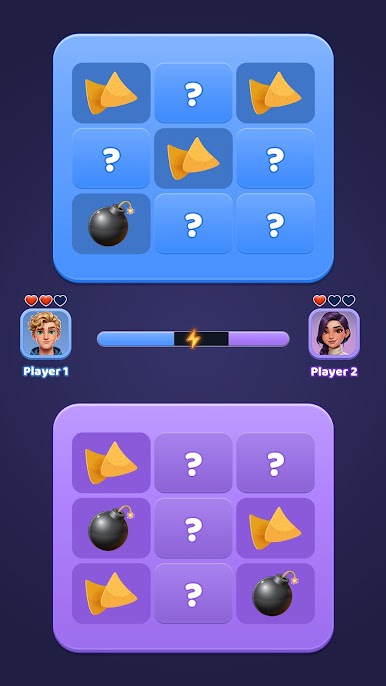
Play on a single device with your friend and dive into fast-paced chip battles. Place your chips wisely, pass strategically, and trigger the boom at the perfect moment to outsmart your opponent. Simple controls make it easy to start, but mastering the strategy takes skill!
Whether it’s a fun game for friends, Boom Chip Battle: 2 Player guarantees non-stop entertainment anytime, anywhere - no internet required.
Game Features
🔥 Exciting 2-player local gameplay
🎯 Easy to learn, challenging to master
⚡ Fast rounds for quick, fun matches
🧠 Strategic chip battle mechanics
📱 Play together on one device
🚫 No WiFi required
Download Boom Chip Battle: 2 Player now and prove your skills in this action-packed, fun-filled offline multiplayer challenge! 🚀


Play Boom Chip Battle: 2 Player on PC. It’s easy to get started.
-
Download and install BlueStacks on your PC
-
Complete Google sign-in to access the Play Store, or do it later
-
Look for Boom Chip Battle: 2 Player in the search bar at the top right corner
-
Click to install Boom Chip Battle: 2 Player from the search results
-
Complete Google sign-in (if you skipped step 2) to install Boom Chip Battle: 2 Player
-
Click the Boom Chip Battle: 2 Player icon on the home screen to start playing

