


Waha - Video Chat & Party
Play on PC with BlueStacks – the Android Gaming Platform, trusted by 500M+ gamers.

Page Modified on: Feb 2, 2026
Main Waha - Video Chat & Party on PC
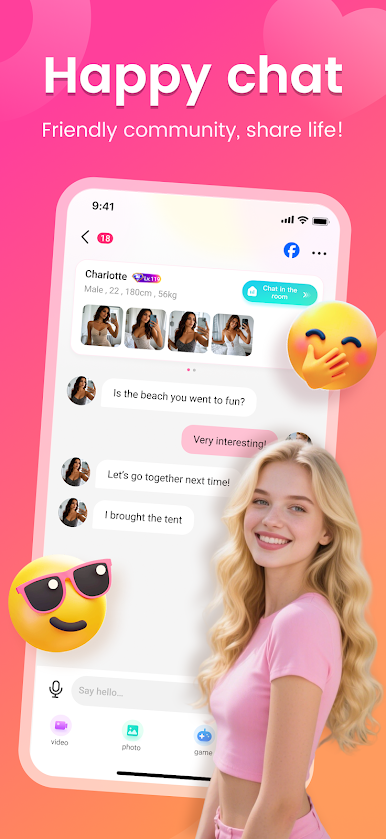
In waha, you can chat with new friends nearby or friends around the world through various methods such as text, voice, video and party room.
--------WAHA Features --------
【Fast Chat Replies】: Don't worry about sending messages and receiving no response. WAHA can quickly recommend friends who share mutual interests by unique AI matching algorithm, and you will and get a reply within one minute.
【Authentic Conversations】: Don't worry about talking to bots. Every WAHA user is double verified by both system and humans, ensuring a 100% genuine user experience. We are creating the most authentic social platform.
【Chat Anytime, Anywhere】: Chat with friends through text or video anytime, anywhere. Whether it's during a lazy afternoon or a lonely evening, come to WAHA and find friends to chat with. You're no longer alone.
--------WAHA Functions --------
【Video Chat】: Taking one-on-one video chats with friends from around the world. WAHA supports personalized beauty effects and various filters, making video chats more fun!
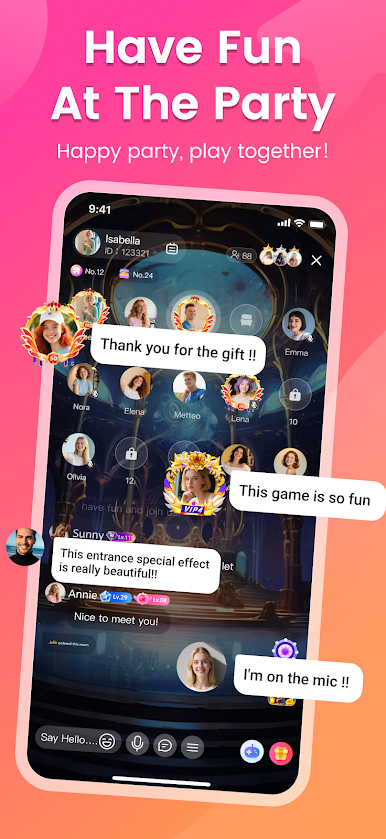
【Party Time】: Don't want to show your face? Join a voice party with friends from around the world and chat for hours. Let's create memories together on WAHA!
【Gift Effects】: There are variety of gifts. We've also prepared animated and holiday-themed gifts to express your love.
【Entrance Effects】: Making a cool entrance with a special ride to show off your identity!
【Frame Effects】: There are variety of frame effects to showcase your identity!
【Share Your Mood】: Sharing your real-time updates with your intimate friends anytime, anywhere!
If there is any problems or suggestions, please contact us via email: wahafeedback@gmail.com
Privacy Policy: https://h5.phxyuyin.com/privacy-policy/index.html
Service Policy: https://h5.phxyuyin.com/service-policy/index.html



Play Waha - Video Chat & Party on PC. It’s easy to get started.
-
Download and install BlueStacks on your PC
-
Complete Google sign-in to access the Play Store, or do it later
-
Look for Waha - Video Chat & Party in the search bar at the top right corner
-
Click to install Waha - Video Chat & Party from the search results
-
Complete Google sign-in (if you skipped step 2) to install Waha - Video Chat & Party
-
Click the Waha - Video Chat & Party icon on the home screen to start playing

