


Sprunki Playground: Sandbox
Play on PC with BlueStacks – the Android Gaming Platform, trusted by 500M+ gamers.

Page Modified on: Sep 17, 2026
Play Sprunki Playground: Sandbox on PC
★ Welcome to Sprunki Playground: Sandbox, a fun and creative world where you can build, experiment, create and enjoy endless possibilities!
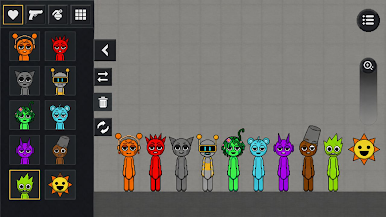
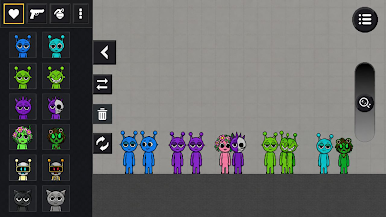
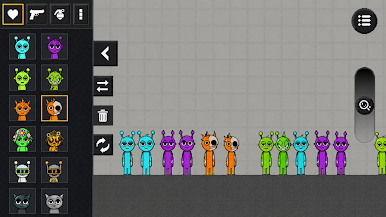
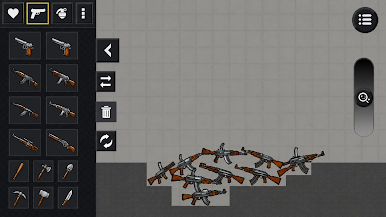
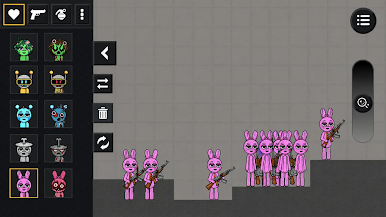
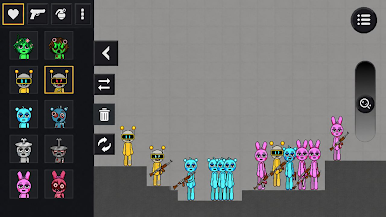
Explore an exciting sandbox playground filled with Sprunki characters, objects, tools and surprising interactions. Place characters anywhere, create funny scenes, test different combinations and watch the chaos unfold.
Build your own playground, arrange objects, experiment with creative ideas and make every scene unique. There are no limits to your imagination, so you can play your own way and discover new possibilities every time.
🎵 CREATE YOUR OWN PLAYGROUND
Choose your favorite Sprunki characters and place them into the sandbox. Mix objects, create crazy situations and enjoy funny moments.
🧩 EXPERIMENT AND EXPLORE
Try different combinations and interactions to see what happens. Discover surprising results and create your own stories.
🎮 EASY AND FUN GAMEPLAY
Simple controls make it easy to place, move and experiment with everything in the playground. Jump in and start creating instantly.
✨ ENDLESS SANDBOX FUN
Build, destroy, experiment and play however you want. Every session can become a new adventure filled with creativity and chaos.
Download Sprunki Playground: Sandbox and enter a world where your imagination creates the fun. Build your playground, experiment with Sprunki characters and enjoy endless sandbox possibilities!
Play Sprunki Playground: Sandbox on PC. It’s easy to get started.
-
Download and install BlueStacks on your PC
-
Complete Google sign-in to access the Play Store, or do it later
-
Look for Sprunki Playground: Sandbox in the search bar at the top right corner
-
Click to install Sprunki Playground: Sandbox from the search results
-
Complete Google sign-in (if you skipped step 2) to install Sprunki Playground: Sandbox
-
Click the Sprunki Playground: Sandbox icon on the home screen to start playing

