


Pocket Ball Logic
Play on PC with BlueStacks – the Android Gaming Platform, trusted by 500M+ gamers.

Page Modified on: Apr 21, 2026
Play Pocket Ball Logic on PC
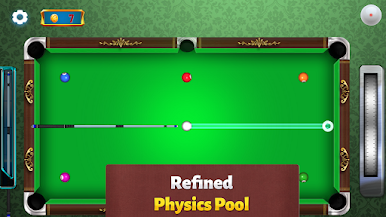
Dive into Thousands of levels filled with Increasing difficulty and a variety of Challenging scenarios that will test your precision and planning. Pocket Ball Logic focuses on Skill-based gameplay, where mastering Shooting techniques and understanding angles are key to success. Each level presents unique Level objectives, from learning to Clear the table efficiently to mastering how to Pocket specific balls under tricky conditions. The Immersive experience ensures that every move matters, making each victory feel earned.
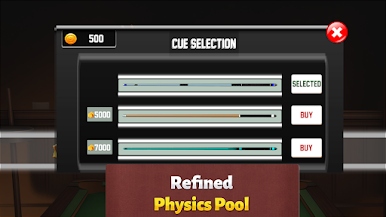
Enjoy a fun and engaging environment where you can aim for in-game Rewards while sharpening your skills. Pocket Ball Logic captures the thrill of billiards without pressure, offering a relaxing yet challenging experience for players of all levels. Disclaimer: This game does not offer Real Money or Real Cash rewards. All Rewards are virtual and intended for entertainment purposes only.




Play Pocket Ball Logic on PC. It’s easy to get started.
-
Download and install BlueStacks on your PC
-
Complete Google sign-in to access the Play Store, or do it later
-
Look for Pocket Ball Logic in the search bar at the top right corner
-
Click to install Pocket Ball Logic from the search results
-
Complete Google sign-in (if you skipped step 2) to install Pocket Ball Logic
-
Click the Pocket Ball Logic icon on the home screen to start playing

