


FunCrush
Play on PC with BlueStacks – the Android Gaming Platform, trusted by 500M+ gamers.

Page Modified on: Oct 14, 2025
Main FunCrush on PC
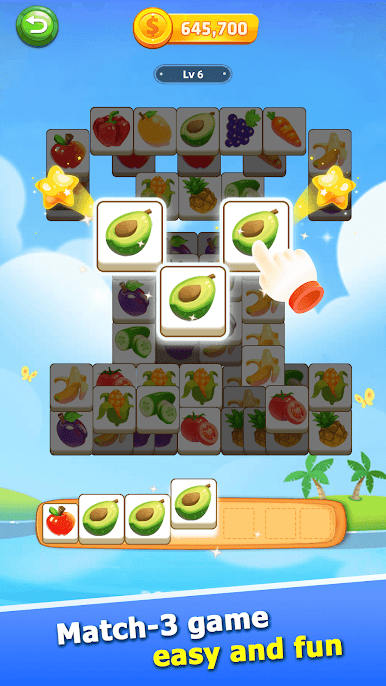
Challenge: Clear all cards by matching three identical fruit patterns, testing your intelligence and skills.
Pass Through Levels: By completing all the levels in a day, you can earn more coin rewards.
Obtain Props: Watch videos in the game to get props, making it easier to challenge more difficult levels.
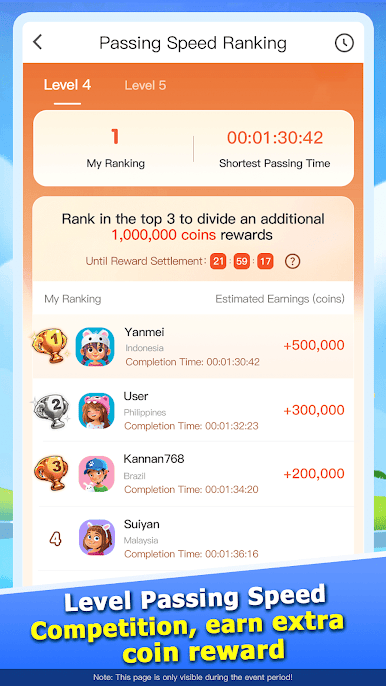
Level Passing Speed Competition: Challenge every day to complete the levels at the fastest speed and win extra coin rewards based on your completion speed ranking.
Competition Mode: By completing higher-level stages, you can earn coin rewards and also have the chance to win extra grand prizes.
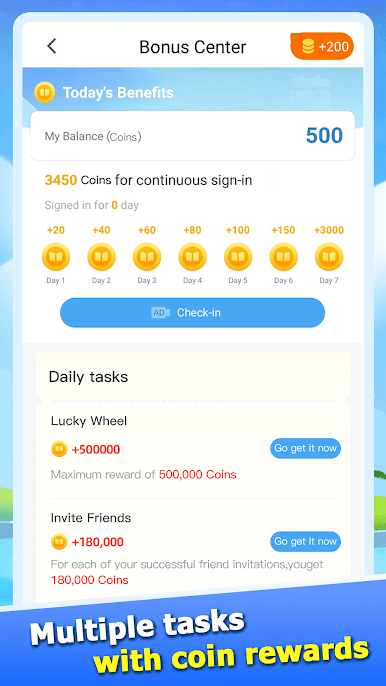
Social Interaction: Invite your friends to join and get coins while competing with them.
The coins earned from inviting friends and playing games can be exchanged for resurrection props or exquisite gifts. Download FunCrush now, join our gaming community, and start your gaming journey.



Play FunCrush on PC. It’s easy to get started.
-
Download and install BlueStacks on your PC
-
Complete Google sign-in to access the Play Store, or do it later
-
Look for FunCrush in the search bar at the top right corner
-
Click to install FunCrush from the search results
-
Complete Google sign-in (if you skipped step 2) to install FunCrush
-
Click the FunCrush icon on the home screen to start playing

