


Pocket Monster League
Play on PC with BlueStacks – the Android Gaming Platform, trusted by 500M+ gamers.

Page Modified on: Jul 30, 2026
Overview
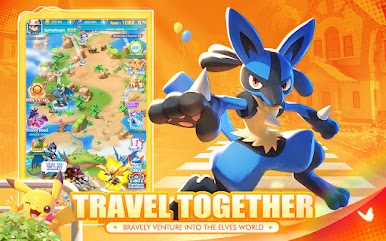
Calm Hand-painted Visuals – Wander vibrant diverse regions
■ Soft scenic maps and delicate creature models bring relaxing wilderness exploration to your screen, with smooth gentle battle animations for every encounter.
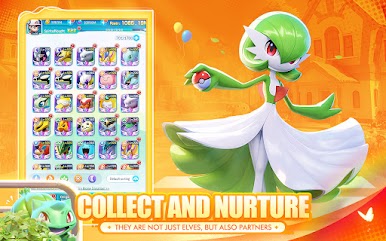
Collect Diverse Wildlife – Gather creatures of all tiers
■ Hundreds of unique beings live across grasslands, caves and coasts. Capture juvenile forms and unlock stunning evolved appearances to fill your full collection album.
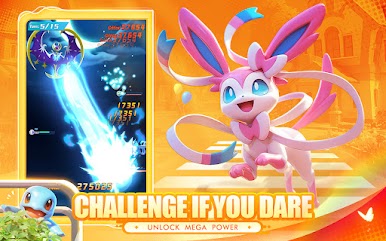
Strategic Gentle Combat – Master balanced ability combos
■ Simple tap controls for varied natural skills, with element matchups to plan smart fights. Every creature holds exclusive talents with gorgeous visual effects.
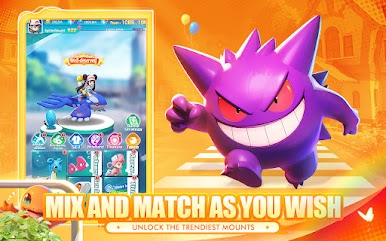
Flexible Full Growth System – Customize your partners freely
■ Evolution, trait training, skill adjustment, appearance change and stat refinement offer endless build paths to craft one-of-a-kind companions.
Cross-server Friendly Matches – Test your team against global players
■ Casual real-time PvP arena for all trainers. Arrange your squad wisely and use element advantages to climb the worldwide leaderboard.
Download now, start your laid-back wildland journey and grow alongside your loyal creature partners!

Play Pocket Monster League on PC. It’s easy to get started.
-
Download and install BlueStacks on your PC
-
Complete Google sign-in to access the Play Store, or do it later
-
Look for Pocket Monster League in the search bar at the top right corner
-
Click to install Pocket Monster League from the search results
-
Complete Google sign-in (if you skipped step 2) to install Pocket Monster League
-
Click the Pocket Monster League icon on the home screen to start playing

